
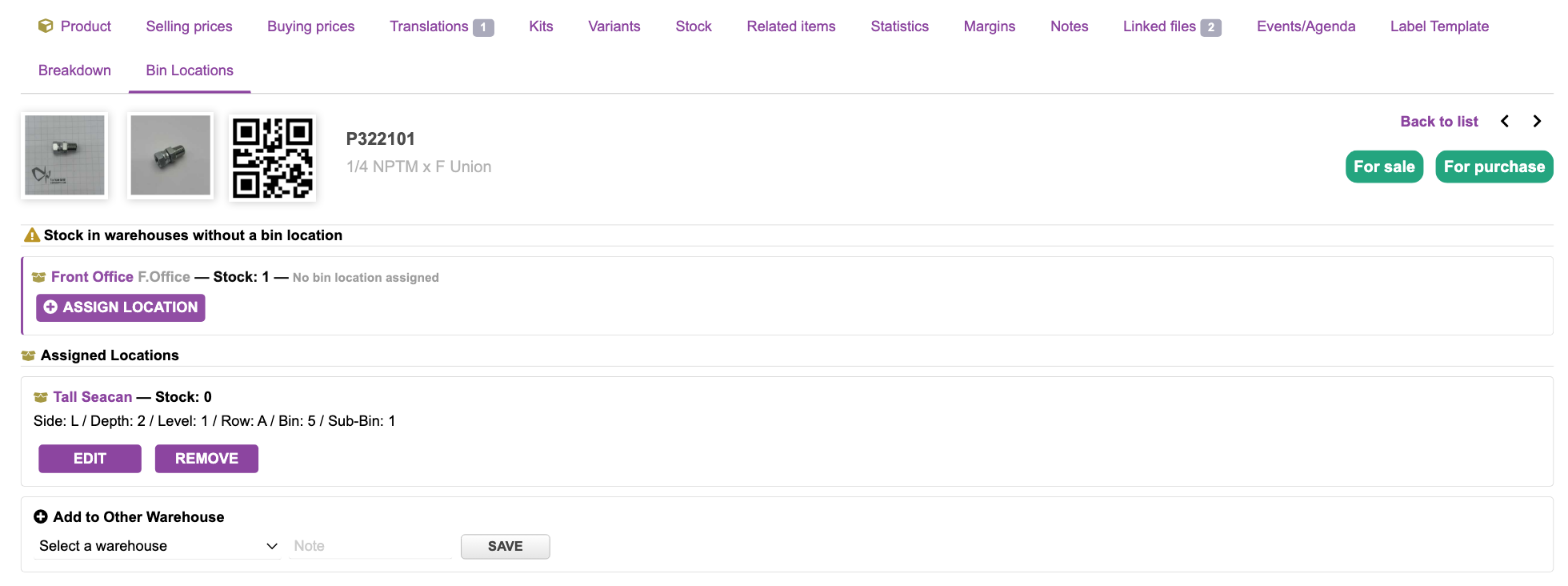
A Dolibarr warehouse is one place. That’s fine until the warehouse is a room full of shelving, or a yard of sea cans each with a rack down either side. Stock tells you there are 15 of a fitting in “Front Office”, and then someone walks the shelves looking for them.
That problem with my small business is why I built this bin location module I titled Binloc. It records where stock sits inside a warehouse, prints the labels for the shelving, bins etc, and prints pick and place sheets that send people to the right bin.
Each warehouse gets its own layout
There’s no global scheme forced on you. Each warehouse defines its own levels: Row / Bay / Shelf / Bin in one, Side / Depth / Level / Row / Bin in another, Case / Drawer / Bin in a third.
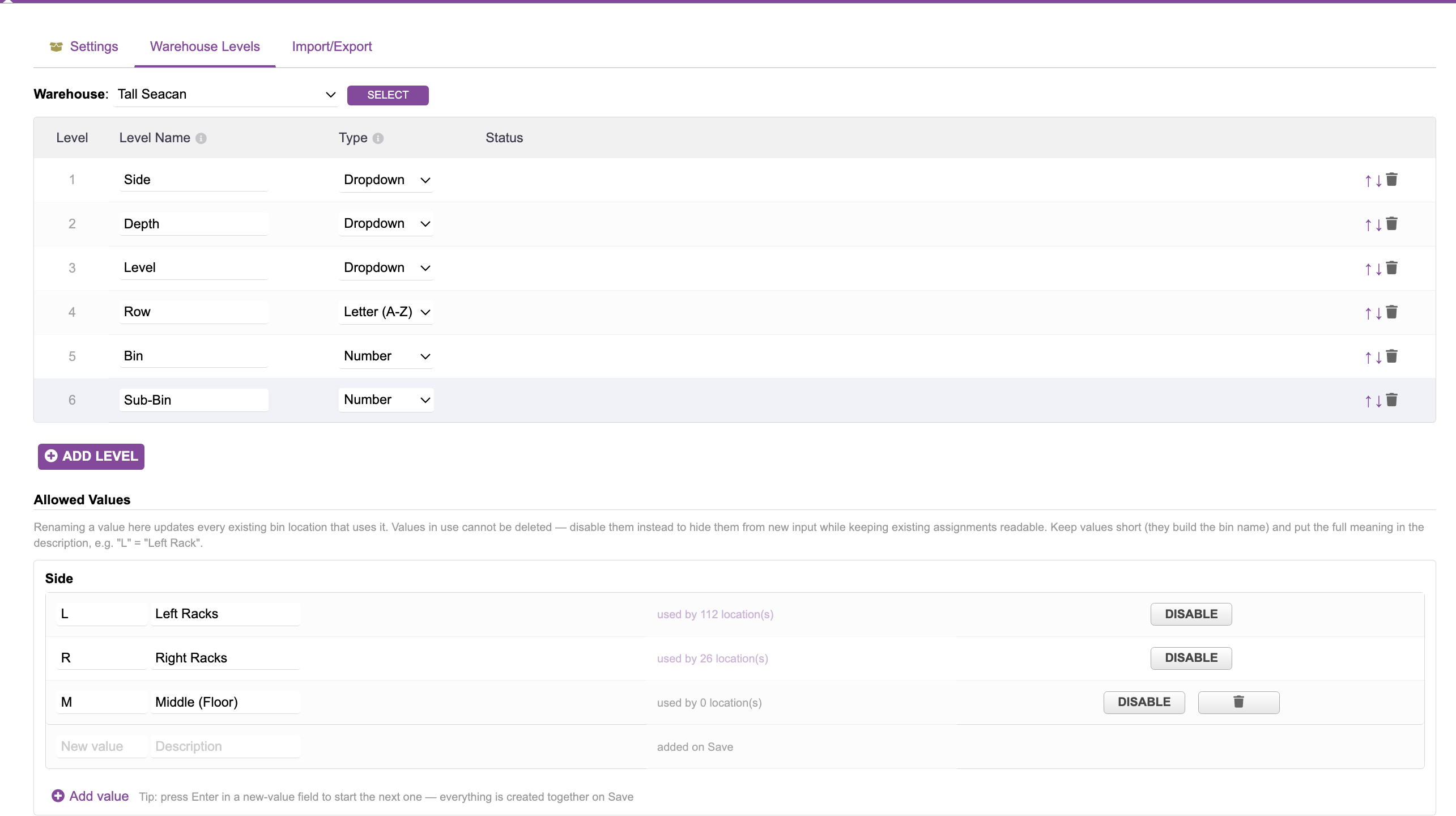
A level can be free text, a number, a dropdown of values you manage, or a letter range (A–Z and on into AA, AB…) generated in one step. Dropdown values are stored by ID, so renaming one updates every product using it. Values that are in use can be disabled but not deleted, so you can’t orphan location data by tidying a list.
Each value can have a short code and a description. The code builds a compact bin name like AL21A4, and the description (L = Left Rack) shows as a tooltip, in a key on the list pages, and on labels. You also give each warehouse a one or two letter prefix. Two sea cans with the same rack layout then print AL21A4 and BL21A4 rather than the same code twice.
Recording where things are
- Product → Bin Locations tab: everywhere that product lives, across warehouses.
- Warehouse → Bin Locations tab: everything located in that warehouse, filterable by any level (“everything on Row 2, Shelf A”), with CSV export.
- Bulk Bin Assignment: one editable table for a whole warehouse, with fill-down and batch set. A quick-assign picker lets you give a product a home before any stock has arrived.
- Reception → Bin Placement and Manufacturing Order → Bin Locations: put received goods and produced serials away line by line.
- Lot / serial card: a serial has exactly one location, editable in place. When a serial leaves stock, its bin is cleared automatically.
If you’d rather lay the building out in a spreadsheet, there’s CSV import and export for both the layout and the assignments. Imports preview every change before writing anything, and apply all or nothing.
Labels
Bin Labels prints one label per bin at whatever level you choose: a tag per shelf, per bag, per rack end. Each label carries the full location code (the same code the system shows everywhere else), its own value large in the corner for reading from a distance, the description, and optionally what’s stored there. Empty bins can be included, so shelving gets labelled before stock arrives.
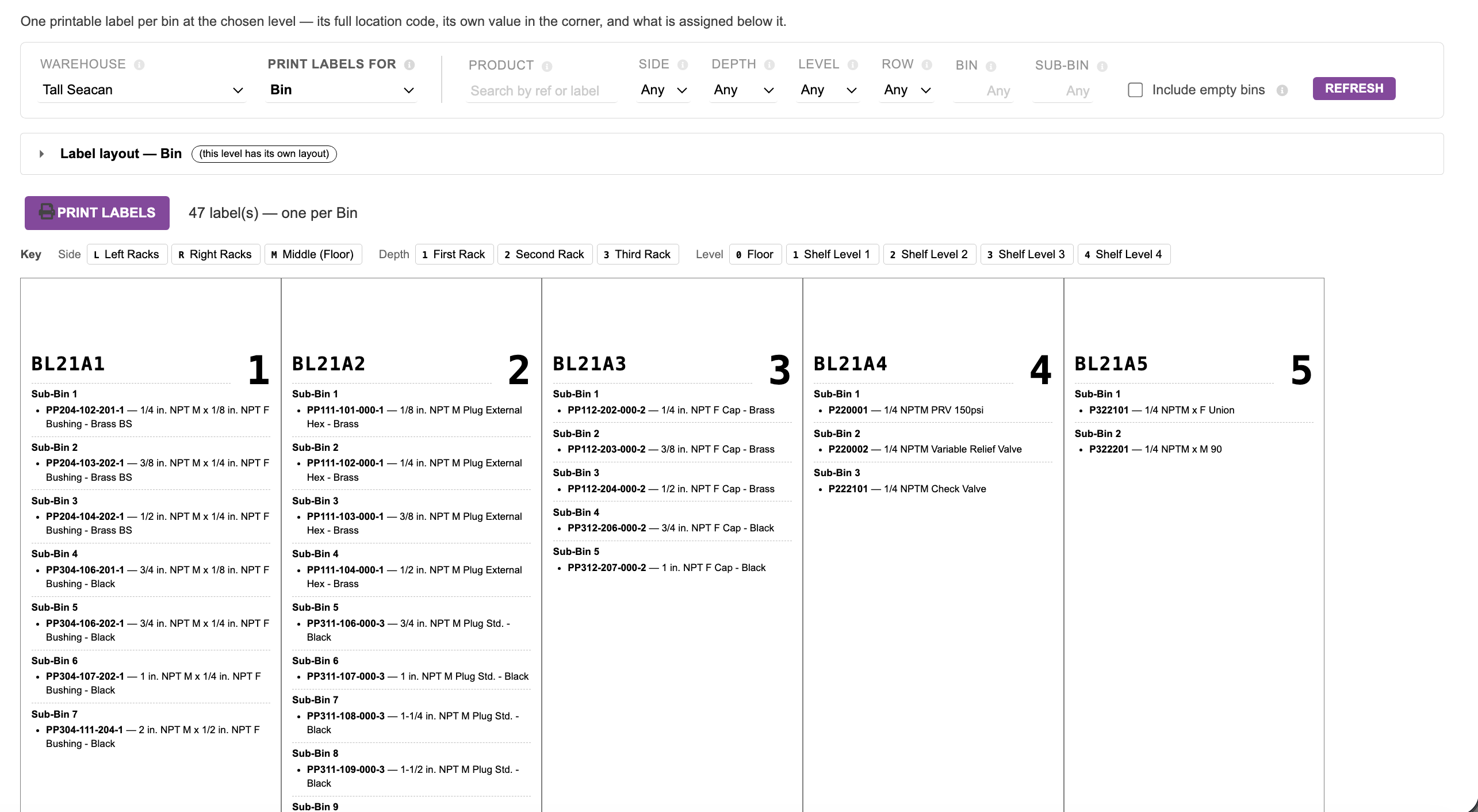
Layouts (size, padding, fonts, what to show) are set per warehouse, with overrides per level. Output is either a sheet for cutting apart, or one label per page for a label printer. I use it with a Dymo LabelWriter 450.
Pick and place sheets (new in 2.15)
This is the part I’ve just released. They’re PDF document models, so they sit in the Documents block of the card like any other template, and there’s also a one-click shortcut:
- Sales order → Create → Pick sheet. For teams that pick before the shipment exists. It covers the quantity not yet shipped. For lot or serial products it takes stock earliest eat-by first.
- Shipment → Pick sheet. For teams that create the shipment first. It lists exactly the warehouses and lots the shipment names.
- Reception → Place sheet. Where each received line goes: the assigned bin, a suggested bin (a brand new serial of a product that already has a bin there), or a blank box to write one in.
Lines come out in walking order, following your level and value ordering, with a tick box each. If a product has no bin in that warehouse but does have one elsewhere, the line says so, which catches receptions booked into the wrong warehouse before they’re validated.
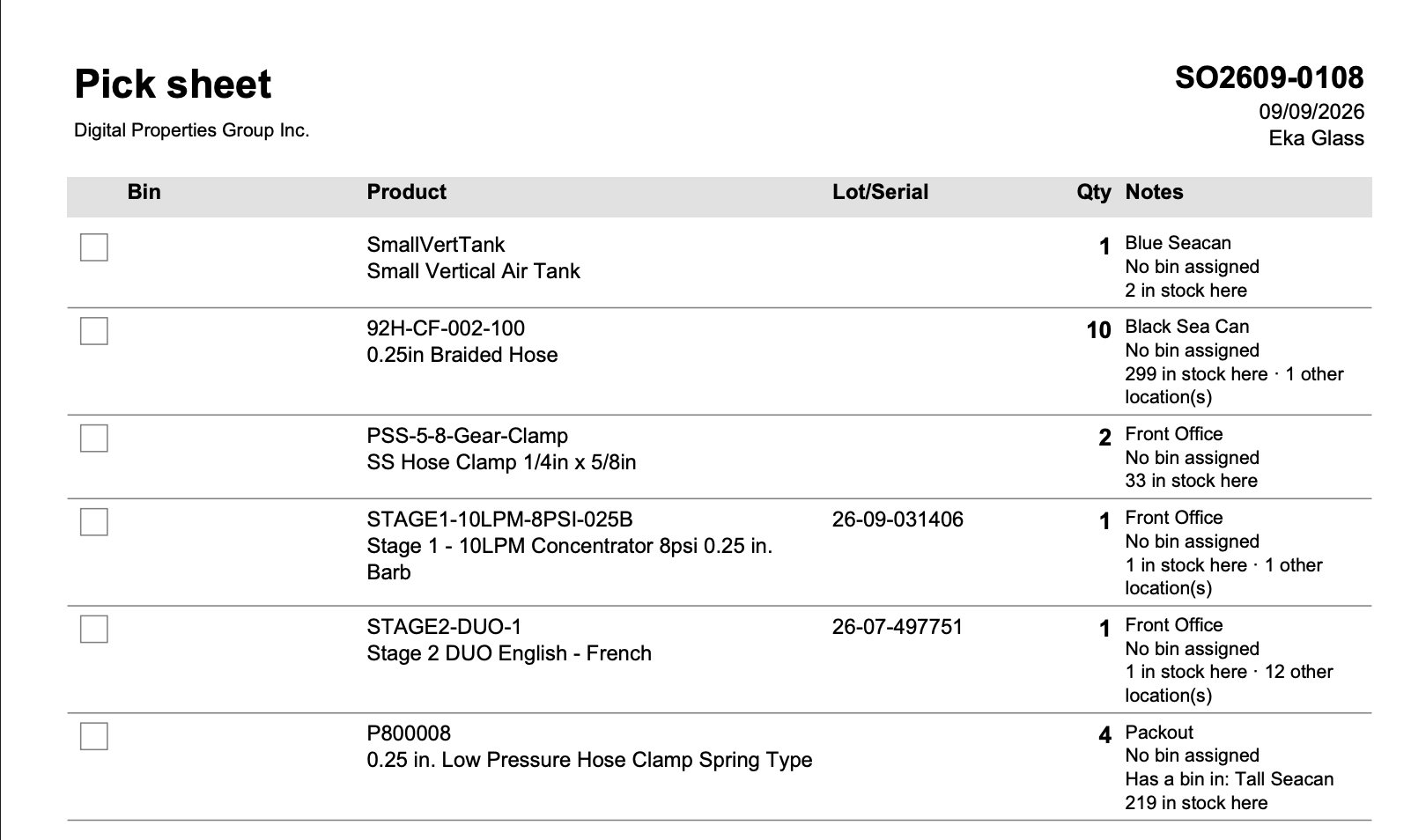
Organisations pick from different places, so each launch point has its own switch in setup; turn on the one that matches how you work, or several. A second switch sets whether sheets are one list across nearby warehouses or a separate page per warehouse for sites that are far apart. The sheet is saved as REF-picksheet.pdf next to the normal PDF and never replaces it as the document’s main file or default email attachment.
What it deliberately doesn’t do
Binloc records where stock is. It doesn’t decide where new stock should go: no capacity rules, no “find me an empty bin”, no directed putaway. The pick and place sheets only point at bins that are already recorded. Putaway would need a bin registry, which is a second model of the building that can drift from the real one, so I’ve kept it out of the core module and documented the extension points for a separate WMS-style module on top.
Practical bits
- Dolibarr 22 or later, Stock module enabled. I’m running it on 22.0.4. The pick/place sheets also use Orders, Shipments and Receptions, and lots/serials if you have them enabled.
- It doesn’t modify core files. It adds its own tables, tabs, hooks and document models.
- A user guide ships with the module and opens from the ? icon on its pages.
Download: Releases · zacharymelo/binloc · GitHub . Grab the zip and install it through Home > Setup > Modules > Deploy/install external module, then set up each warehouse’s levels under Warehouse Levels.
I’d especially like to hear from anyone with a bigger or messier storage layout than mine, or a picking workflow the sheets don’t fit.




