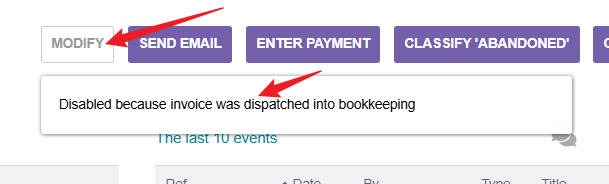
My Customer invoice hasn’t been paid yet. Why can’t I click Modify?
This issue exists in version 23 now. In version 18, you can click “Modify”

My Customer invoice hasn’t been paid yet. Why can’t I click Modify?
This issue exists in version 23 now. In version 18, you can click “Modify”
The accounting system is trying to protect you from getting out of balance. The system is telling you that it was disabled because you have posted the receivable into accounting.
To be able to modify/edit the invoice, you will need to go to accounting and delete that invoice from your receivable account. Once this is done, you should be able to modify//edit the invoice.
Hope that helps. Frank
Hello, I haven’t received the payment. The status of the customer’s invoice is Not paid. How should I handle it?
From your Home screen: Accounting → Ledger (you should be presented with a ledger of all of your chart of accounts and their credits & debits with their current balances.
You need to go to your “receivables” account (I don’t know what chart of accounts your using) and delete the ledger entry for that particular invoice that you want to modify/edit.
You can search for the exact amount debited and it should pop up the the journal entry for that receivable.
This is what you need to delete from your ledger.
Frank