I’ve made a module for fixing prices in multiple currencies. My gut instinct was to modify the core multi-currency module, but I didn’t modify the core multi-currency module as that’s beyond my current comfort and skill.
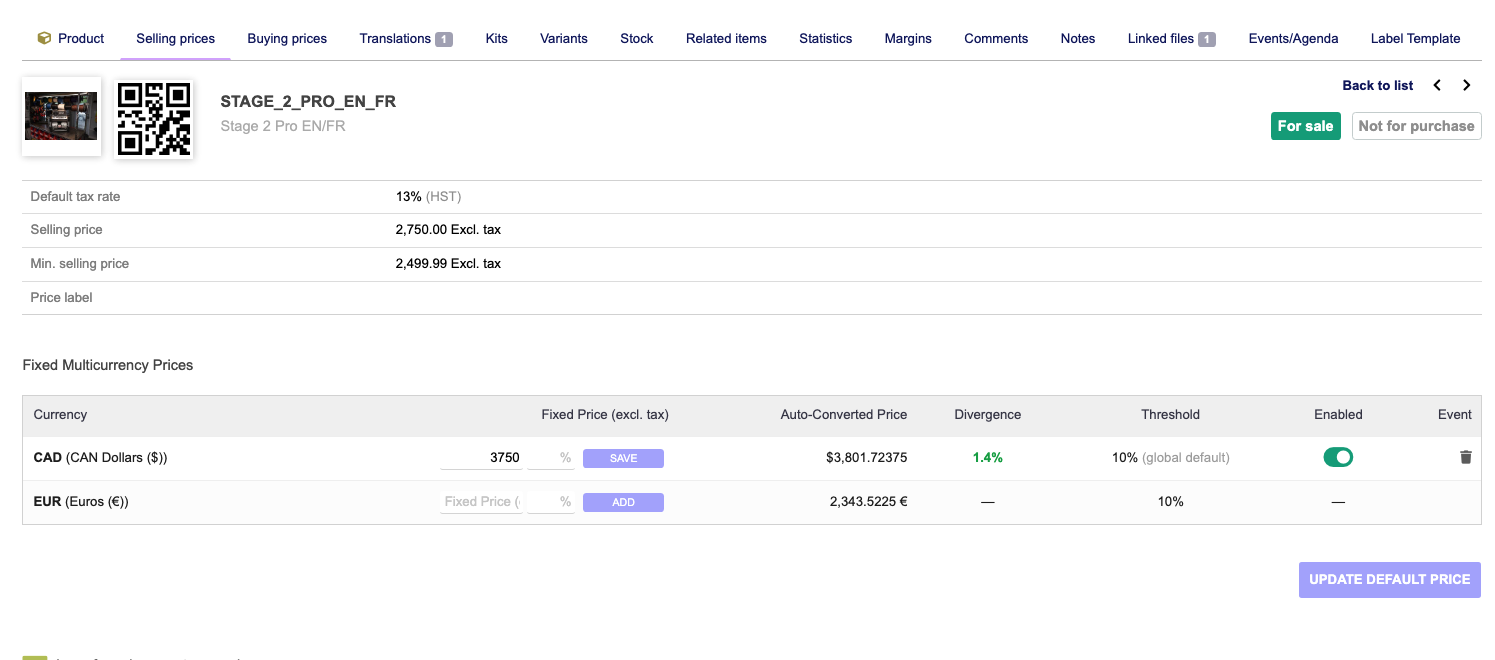
For now, this creates a table that holds fixed prices on a per product/variant level as well as a threshold for a planned warning component (alerts when calculated prices are too far from fixed prices). We sell in USA and Canada and in order to simplify buying for our customers, we fix both prices in our catalog. Dolibarr doesn’t let us do this.
This module simply swaps in the fixed price on an invoice, proposal, or order based on the currency of the object. When the product loads, it will show it’s price in the native currency but once added will populate the record with the override fixed price.
The module does this by referencing the table of fixed price, and then back-calculating the input price in the base currency of your Dolibarr system when you add a product to an object (order, invoice, proposal).
I would love to see this be a core function but don’t really know where to start other than modeling the UX/UI patterns.
This module helps our sales team work a bit faster and with fewer mistakes. We can check at a glance and see if our products are out of range.
The deviation warning is implemented. If a user tries to add a product to an invoice, order, or proposal and the price difference is greater than the allowed deviation set in the modules setup page; the module issues an alert after it does the price recalculation. The issue will appear in the top right corner of the screen using the native Dolibarr alert.
This should help users get the best of both worlds with the multi-currency module.
I think what you want you can do this without making a module:
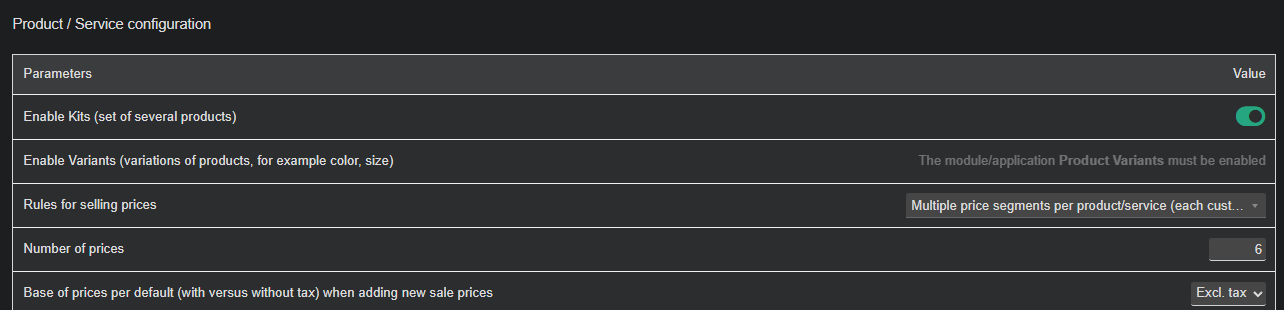
go here /product/admin/product.php
turn on multiple price segments per product/service
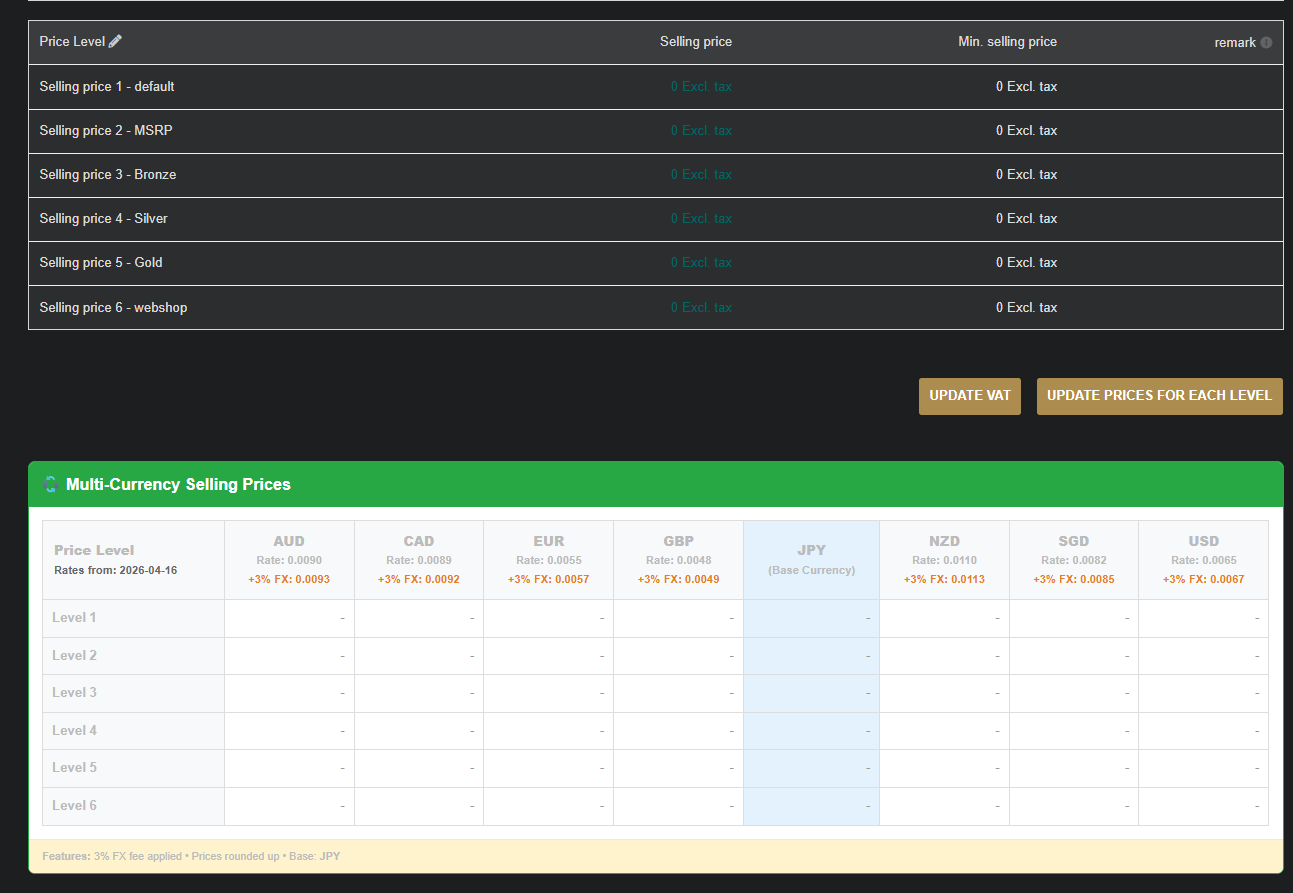
Once enabled, set price level 1 to CAD and set price level 2 to Euro’s.
Use another price level to set your prices manual in Euro and run a cron script to calculate the currency differences.
It will look like this, the greenbox is just a viewer module we made for ourself. Nothing fancy
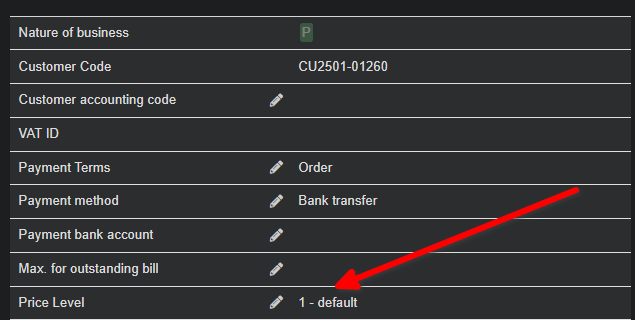
Goto /comm/card.php?socid=1461
Set the third party to either the EURO or Canadian currency, and you have multi-currency everywhere implemented over the whole structure, proposals, sales orders, and invoices.
That’s a good workaround also! Thank you for sharing how to accomplish this with the native modules. It seems like this needs a more elegant workflow/UX pattern to accommodate how common this need is (fixed MSRP in multiple currencies).
We don’t use multiple price levels yet, but I’ll look into it for sure. Seems both methods are equally tedious, but your method better given the lack of customization required.
I appreciate the input and this community