
Hi everyone,
I would like to introduce a module I have been working on over the past few weeks: MCP+ turns Dolibarr itself into an MCP server, so AI assistants can work with your data directly — no copy-paste, and no additional server process.
What it is about
The Model Context Protocol (MCP) is the open standard that AI clients use to access external data sources. MCP+ ships such a server as an ordinary Dolibarr module. Once it is enabled, you can simply ask your assistant:
- “Which tickets are still waiting for a reply from us?”
- “Show me the open invoices for customer Miller and record yesterday’s payment.”
- “Create a project for the new order, add the tasks for it and log my 3 hours from today.”
- “What appointments do I have at the customer next week, and how many units of item 4711 do we still have in stock?”
The assistant reads and writes in your real Dolibarr — not in a copy, not in an export.
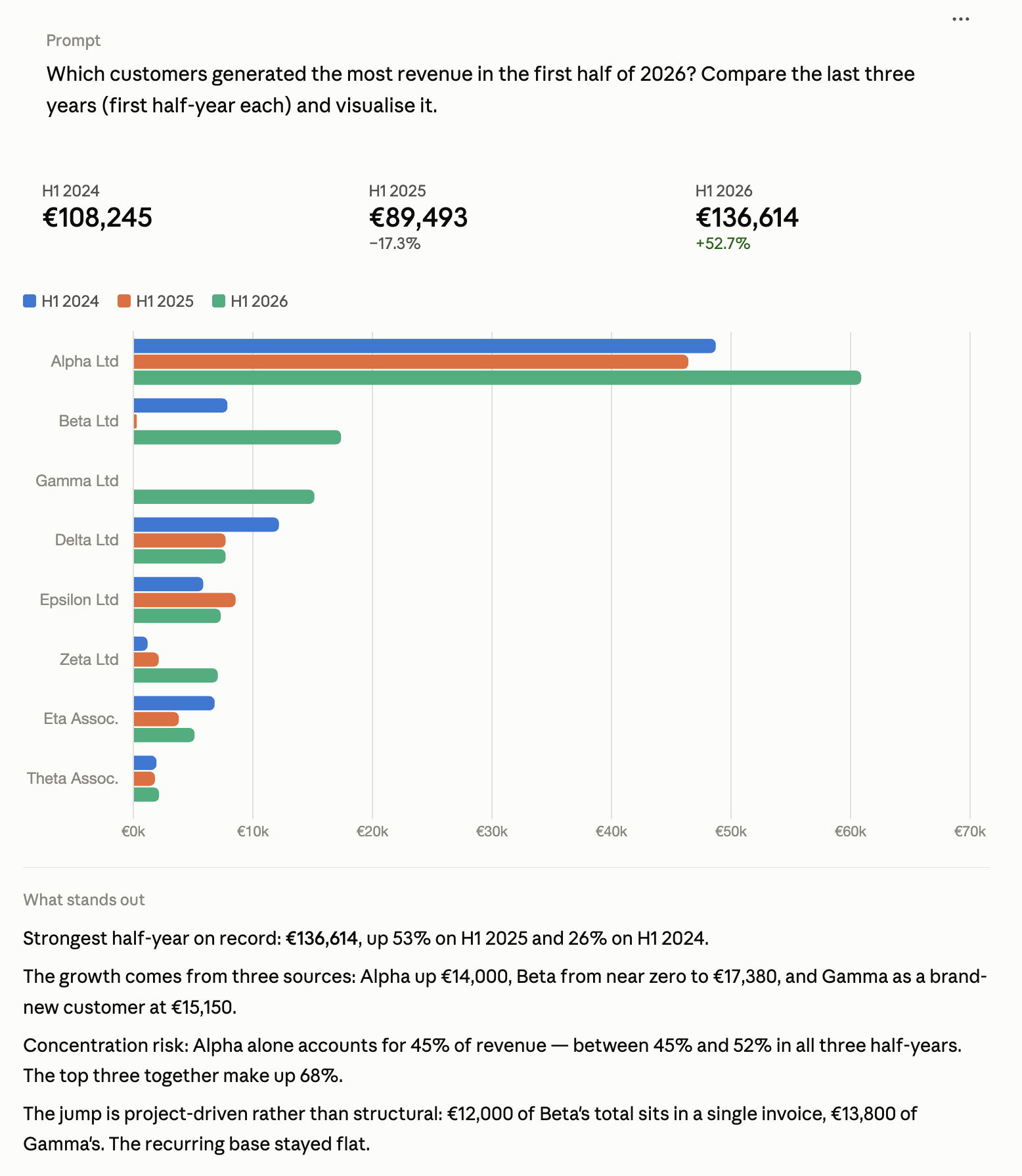
This is what it looks like in practice: a question in plain language, the answer coming from the instance’s live data.
Why not just use an external MCP server?
There are already MCP servers for Dolibarr that run as standalone Python or Node processes and access the data through the REST API. That is exactly what I moved away from, for three reasons:
- Operations: A second service has to be installed, started, monitored and updated. MCP+ runs inside your existing web server — enable the module, create a token, done.
- Permissions: An external server typically holds one API key in clear text in a config file. That gives the AI exactly the permissions of that one user — all or nothing.
- Data fidelity: In MCP+, access goes through the Dolibarr object classes themselves. Business logic, triggers, extrafields and Multicompany separation apply automatically instead of being reimplemented on top of the REST API.
And not a single core patch, by the way — the module is update-safe.
Scope
130 tools in 15 categories — the complete day-to-day commercial workflow:
- Sales: proposals, orders and invoices, each from draft through the lines to validation and closing; for invoices additionally recording payments and posting them to the bank account
- Purchasing: supplier invoices and purchase orders including lines, validation and approval
- Tickets: including the message history, “what is unanswered” and replies optionally with e-mail notification
- Projects: including tasks and time tracking — log times, list them and delete them again
- Events: read and maintain calendar entries, linked to customer, contact and project
- Stock: query stock per warehouse, read movement history, book increases and decreases
- Master data: customers, contacts including contact assignments on documents, products, categories/tags, users
And one detail that makes a big difference in practice: your custom fields are fully supported. Extrafields come along when a record is read and can be set when creating and updating — across all areas. A dedicated tool lists the defined fields per record type to the assistant, so it looks the field names up instead of guessing them. If it still passes a wrong one, it is told about it, rather than the value silently being dropped.
The part that mattered most to me: control
Letting an AI into an ERP is a matter of trust, which is where most of the effort went:
- Tokens per client. Only the SHA-256 hash is stored in the database, you see the clear text exactly once.
- Permissions on three levels: the Dolibarr permissions of the configured service user, tool categories that can be enabled per token, and a read-only mode that does not even expose the writing tools.
- Complete audit log with its own tab: timestamp, token, IP, tool, parameters, result, duration. Rejected accesses included. Retention period configurable.
- IP whitelists (CIDR, IPv4/IPv6), rate limit per token and minute, expiry date, revocation with one click.
For claude.ai and ChatGPT, which cannot store static headers, a full OAuth 2.1 server is built in — with a consent page in Dolibarr where you define service user, scopes and read-only per connection. Cloud access uses a separate IP whitelist, so the Anthropic/OpenAI ranges do not punch a hole in your restrictive token whitelist.
Compatibility
Dolibarr 20.0 to 24.0 from one and the same code base, PHP 8.0 to 8.5, no Composer dependencies. Works with Claude Desktop, Claude Code, claude.ai, ChatGPT and any standard-compliant MCP client. GPLv3.
Availability
The module is available on Dolistore as of today: MCP+ for Dolibarr
I would very much appreciate your feedback — especially which tools you are missing and in which workflows you would actually use something like this. If you have questions about the setup or the security model, just ask here in the thread.
Best regards
Günter




