
Am I doing or typing the right format? thanks…

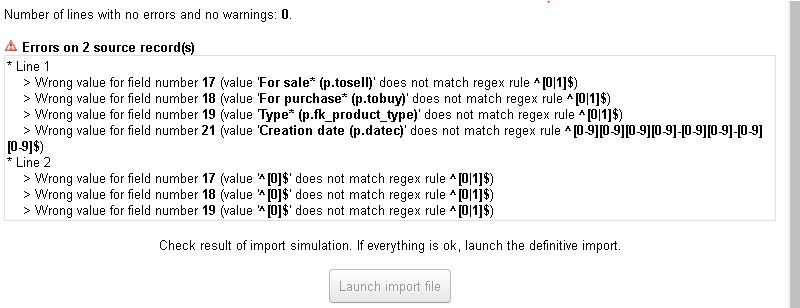
I found that tricky too…
I learnt that the columns you showed should be either 0 or 1 except the date which should be US format: yyyy-mm-dd
Try that
1 Like
It Worked!  …thanks Aljawaid
but what does the below means? i cannot see in product card?
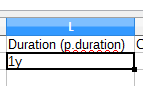
Yeah I noticed that too… I’m guessing it is a time limit on the product but it is no where to be seen on the product forms 
The same with the width/height column. It doesn’t show any where.
Hi Aljawaid,
I noticed that for this task, excel is totally not working for me. I even tried so many times but no luck, I don’t know why? … Maybe someone has a success in using excel?
LibreOffice is working smoothly without any hassle.
Also, I noticed that if you leave the Weighted Ave. Price column blank, it will give you an error. But why is it that I cannot find this in the Product Card?
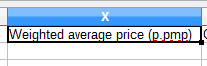
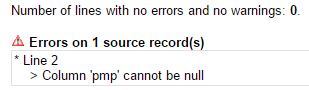
What is the purpose of weighted ave. price?
Thanks
Hi Sarksloane
I tried it a few times (it worked when I tried it on 4.0.0) but realised it was easier (bit longer but better) to do it when I had the product in front of me. Importing etc. I usually did at home you see.
I have just checked one of the files I once imported, it doesn’t have that column. I’m wondering whether you are using the right template with the correct columns? Download a new example from the Import Assistant to compare.
1 Like
Hi Aljawaid
I am using 4.0.1 and when I am trying to download the excel template, it gives me the below

Thanks
I am using 4.0.2 and it downloads and opens fine.
Previously on 4.0.1 it was okay too. Maybe try upgrading to 4.0.2?
Hello
I just done a quick import of a single product. Below are my notes for .XLSX type Product Import, for and anyone else lol.
- Any extra fields created as “separator” type remove them from field list during import - otherwise unrecognised column error results.
- Column “p.pmp” - Weighted Average Input Price should be set as “0”
- Enter barcode in excel as “number” cell type
- Enter Creation date as '2016-11-03 otherwise Excel will reformat it and cause issues
Hope this helps. This was just done on 4.0.2
1 Like
Hi Aljawaid,
Thank you very much, I really appreciate As usual, it worked! your the best Guru 
*and for everyone information just in case…as Guru Aljawaid noted that you should Enter Creation date as 2016-11-03 but first you must format the cell as Text.
I just found this pull request which addresses the ‘separator’ type column issue. Hope it get’s approved and merged to the core. FIX : Do not include separate extrafields into export by atm-florian · Pull Request #6098 · Dolibarr/dolibarr · GitHub




