Hi,
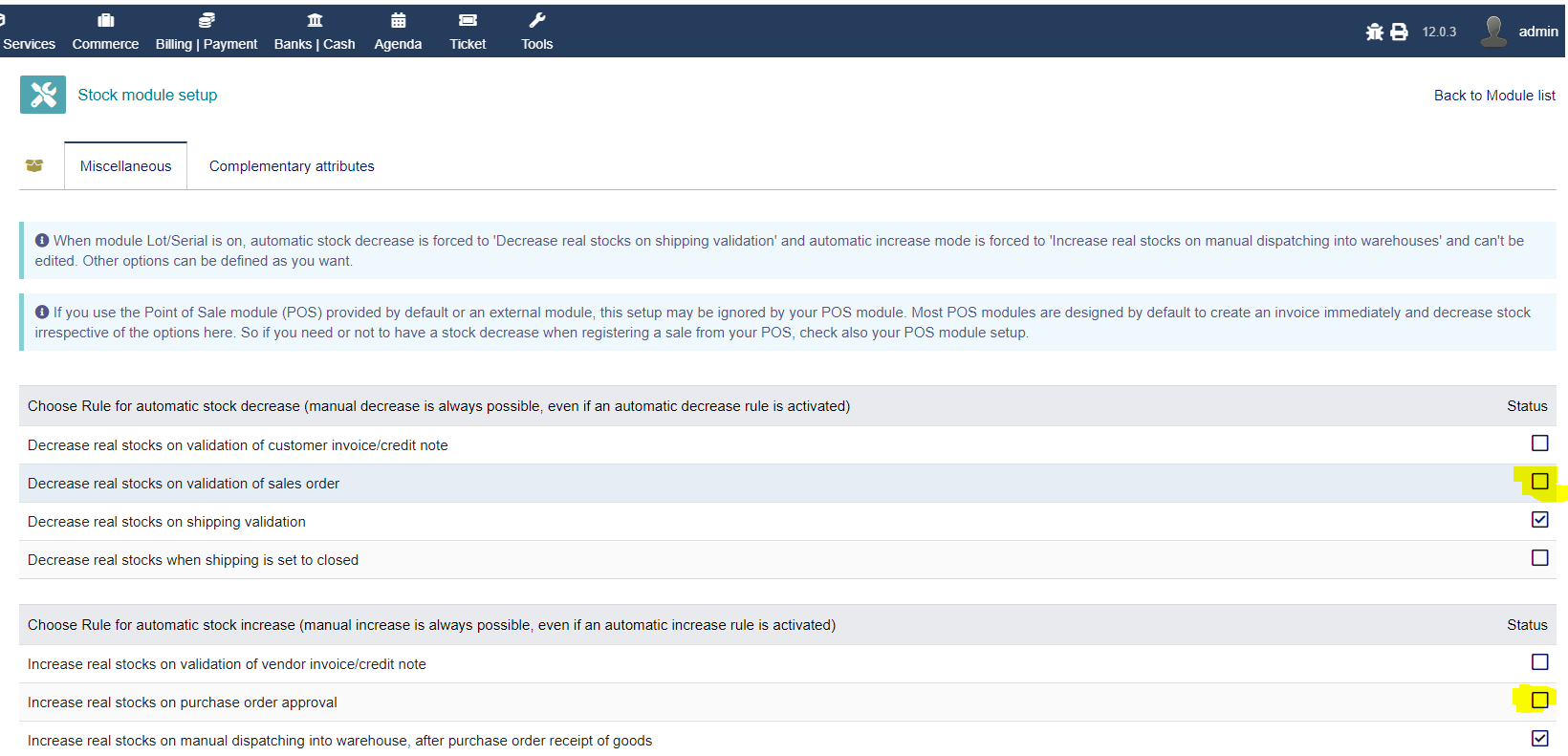
I am not able to select any of the option from the rules for automatic stock decrease/increase. By clicking on any of the checkbox doesn’t do anything… can not select (enable/disable) the checkbox.
This happens when you activate the batch/serial control module, and only allows stock decreases to occur when you validate the shipping document. In our case we had to dispense with the module, because our wish is that the decrease occurs when you validate the customer order.