We use contracts that are categorized into different types. Depending on the category, we need various additional information for each contract. For example, we have hardware maintenance contracts and require a serial number, among other things. Other contracts don’t require a serial number, but instead, for example, an IMEI number. Therefore, what I want to configure is an additional field called “Contract Type” with a predefined drop-down menu of available contract types. Depending on the value in this additional field, the other additional fields should then be shown or hidden.
Configuration:
I’ve set up two extra fields for a contract and configured the following values for my contract type field: 1, Contract Type A 2, Contract Type B
This allows me to select a contract type. Next, I created another extra field called “Serial”. To test its visibility, I entered the following under “Visibility”: (($objectoffield->array_options[‘options_dns_contract_type’]==1) ? 1 : 0)
So, if the extra field “ContractType” has the value 1 (Contract Type A), the visibility should be 1; otherwise, it should be 0.
Problem:
Since the input field “Visibility” is extremely short, I used the “Calculated value” as a workaround to create the expression and then simply copied the content into “Visibility” for testing purposes. This was just so I could see what I was typing. The strange thing is, the extra field “Serial” is displayed correctly according to the above expression, or not, depending on the value of “ContractType,” as long as anything is entered into the “Calculated Value” field of the extra field “Serial.” As soon as I leave “calculated value” field empty, the extrafield “serial” is never displayed in the contract card view. Since I obviously need to enter a serial number into this field, this is useless to me. Does anyone know why this is happening?
Bonus question:
Of course, I also need to be able to search these new extra fields in the contracts. This isn’t possible by default. Can I configure this somewhere?
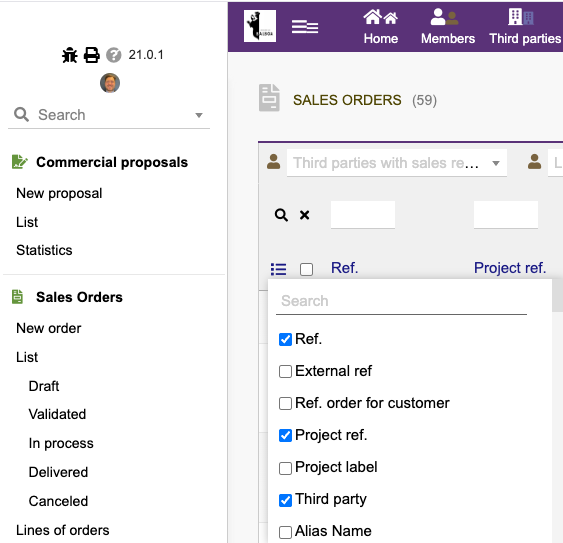
@jonbendtsen Thanks thats good to know. But for my usecase I would like to search those fields without the need to display them all the time in the list view.. Best would be to search them and display them, in case the searchresult found a match in the field. But I would also settle for just searching them and not seeing the match in the list view at all. I have ~20 Extrafields I need for different types of contracts, most of those are empty for most contracts types, this would clutter the screen if I displayed them always.
We have ~15 different contract types with ~25 different extrafields and ~2000 contracts. I know I can set it up in a way, that I can select the extrafield I need to search, in the list view, and then use the search bar on top of the column. This is my current workaround. It is however very unpractical to have to select the column, search, and afterwards delselect the column again. It is even more unpractical to show them all the time, given the number of fields.
It would be easier, if there was a way to add certain extrafields to the search in the top search bar. So that when I type in a number and select “contracts” I get all contracts that have that number as a part of any extrafield. Ideally showing the corrosponding extrafield column in the list view (but only for the search result, not for the “normal” list view)
Regarding my other problem. I found a workaround and opened a Bug report on the github page: