I am trying to implement a customization that I consider important for the workflow in Dolibarr. The objective is to automatically update the declared real progress percentage to 100% whenever a task is marked as completed.
I have already attempted to implement this using a hook within a custom module I am developing, but without success. Does anyone have any suggestions on how to address this issue without modifying the core files and risking losing the customization during future updates?
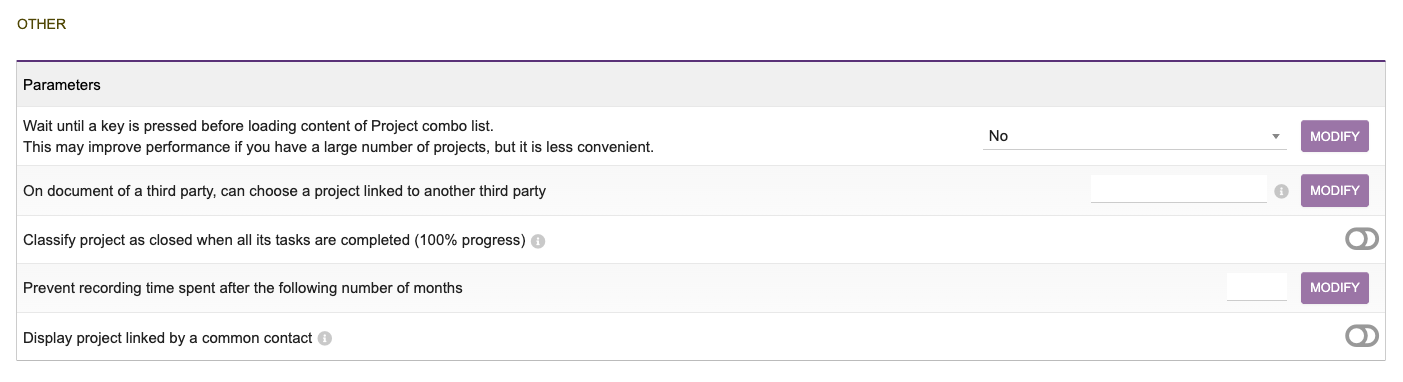
The option available in the Dolibarr module refers to automatically setting the project status to “closed” when all tasks are completed. However, this is slightly different from what I am trying to achieve.
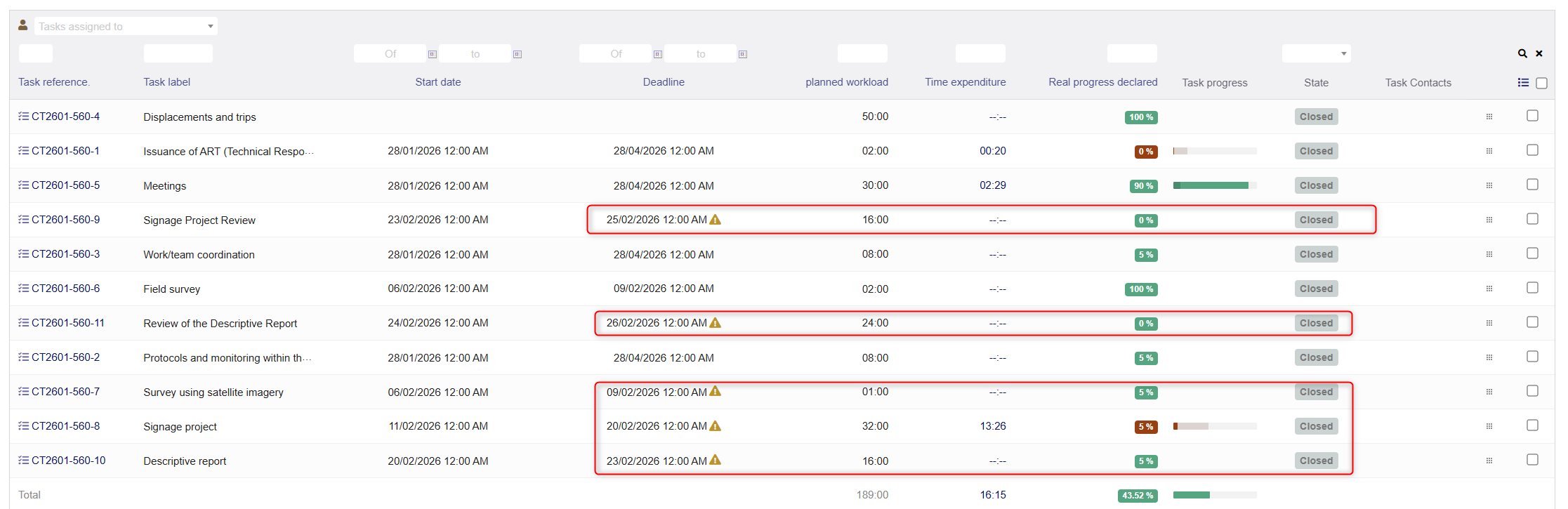
Each task has its own progress percentage, and when I close a task using the available button, the progress is not automatically updated to 100%. As a result, even though the task is marked as closed, it may still trigger overdue task alerts if the planned date has passed.
In practice, I have to manually update the progress to 100% for each task individually to avoid these alerts. Please see the example in the attached image.
From our company’s perspective, when a task is closed, it means that the technical work has been fully completed. So it is not related to any pending condition — the activity has already been carried out and finalized.
In practice, clicking the “close” button is operationally simpler than editing the task and manually setting the progress to 100%. Also, when the progress is set to 100%, the task is automatically closed. Therefore, the goal here was simply to streamline this operational step.
I was able to resolve this by implementing a database trigger, as shown below. If this approach aligns with your workflow, it may also serve as a suggestion for future Dolibarr improvements:
CREATE TRIGGER llx_lanixcrm_task_close_progress
BEFORE UPDATE ON llx_projet_task
FOR EACH ROW
SET NEW.progress = IF(NEW.fk_statut = 3, 100, NEW.progress);
You can do what ever you want in your Dolibarr installation, but the Dolibarr organisation does not allow database triggers.
Dolibarr strictly forbids the use of native database triggers (SQL-level triggers) within its core codebase because they are not portable, difficult to debug, require special database permissions, and can cause compatibility issues during upgrades. Instead, developers must use Dolibarr’s business event triggers , which are PHP classes executed on specific CRUD events (Create, Modify, Delete) or status changes.
To implement custom logic, you must create a PHP trigger class placed in the core/triggers directory (or your module’s core/triggers folder) that implements the DolibarrTriggers interface. The file naming convention is critical: interface_99_modMyModule_ActionName.class.php , where 99 represents the execution priority, modMyModule specifies the module requirement, and ActionName is the trigger identifier. Inside the class, you override the runTrigger($action, $object, $user, $langs, $conf) method to execute your custom code based on the $action variable (e.g., COMPANY_CREATE , ORDER_VALIDATE ).
File Location : Triggers must reside in core/triggers/ or a custom module’s core/triggers/ directory.
Activation : If placed in a custom module, the module descriptor must declare 'triggers' => 1 in the $this->module_parts array.
Event Types : Supported events cover business CRUD operations, status changes (e.g., validation), and specific actions like ORDER_VALIDATE or PROJECT_DELETE .
Return Codes : The runTrigger method must return <0 for failure (potentially rolling back the transaction), 0 for success with no action, or >0 for success.
a) If the task is closed, I would assume that the overdue task alert would ignore it. I think this should be changed.
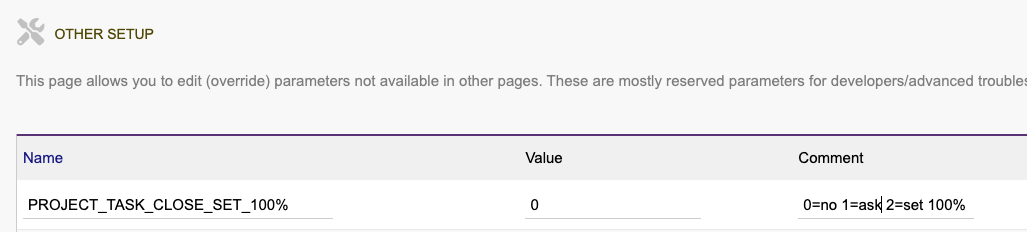
b) I think you should introduce a new configuration slider or enviromental configuration option or Home → Setup → Other Setup where it is possible to configure that when a task is closed it is set to, or asked if set to 100%. Something like this
I have indications that the overdue task alert is not ignored even when the task is marked as completed under the following conditions: if the due date has passed and the progress percentage is less than 100%.
Regarding the suggestions, the slider control is a bit less convenient for me, but I will test the environment configuration option.