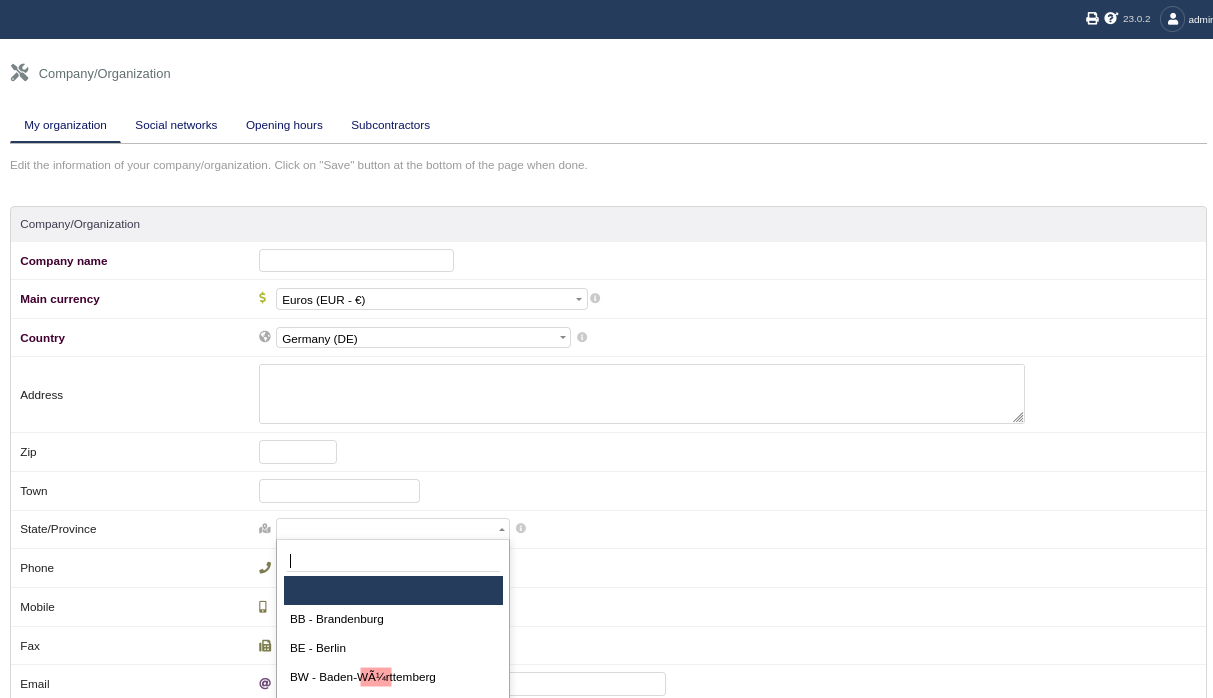
Charset error with dolibarr v23.0.0 docker image

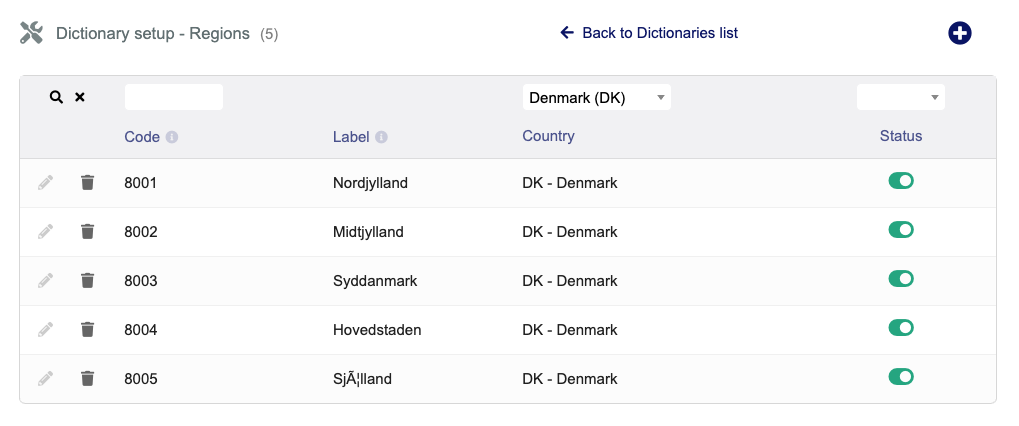
I’ve installed a fresh v23.0.0 dolibarr docker image, and some regions and countries have strange names :frowning:

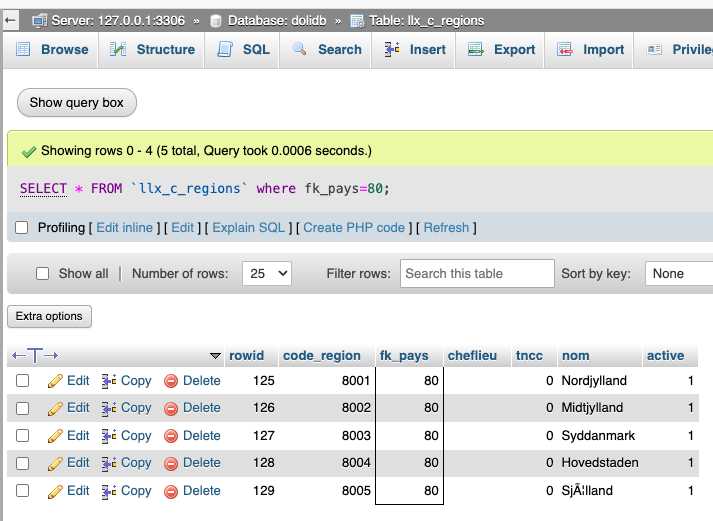
and if I look in the database with PHPmyadmin

my mariadb container runs
docker.io/library/mariadb lts-noble 0cf8160fce1a 9 months ago 335 MB

demo@central:~$ podman exec -itu0 mariadb bash
root@livepod:/# export
declare -x GOSU_VERSION="1.17"
declare -x HOME="/root"
declare -x LANG="C.UTF-8"

is that why?

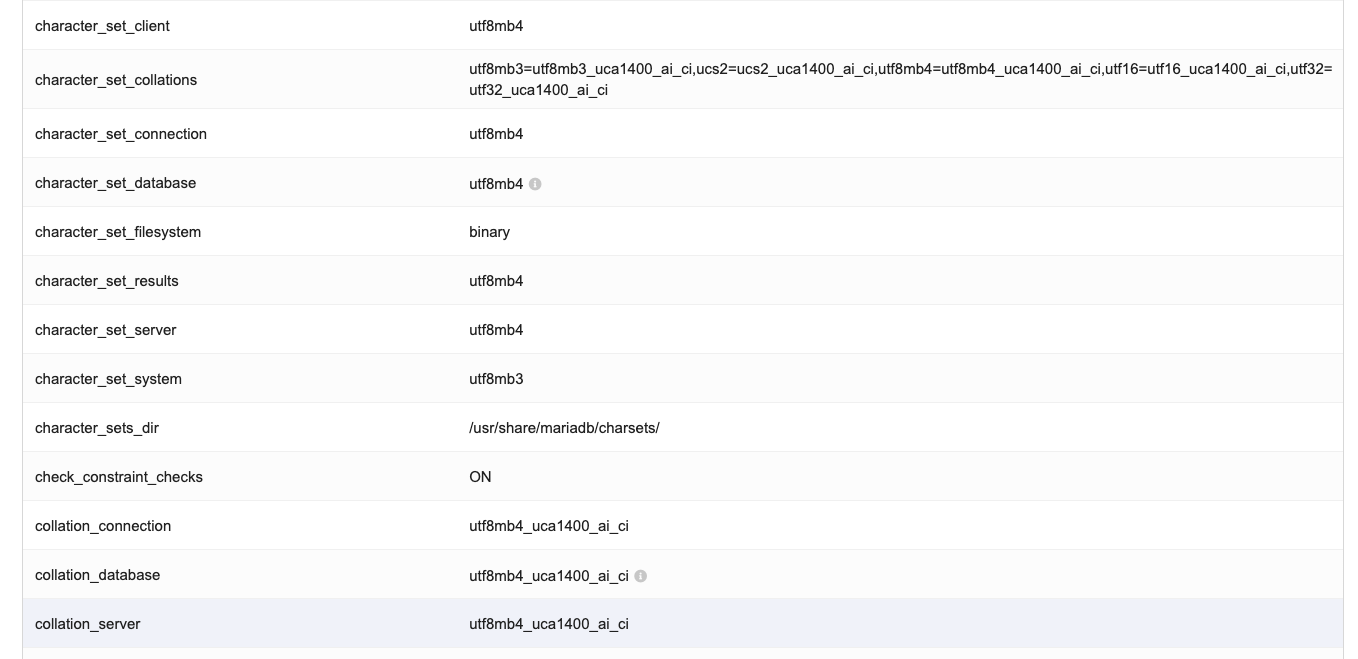
There are no LANG set in Dolibarr container

and my host has this:
‘declare -x LANG=“en_US.UTF-8”’

Inside my dolibarr container

/etc/init.d/apache2:ENV="env -i LANG=C PATH=/usr/local/sbin:/usr/local/bin:/usr/sbin:/usr/bin:/sbin:/bin"

Any idea?

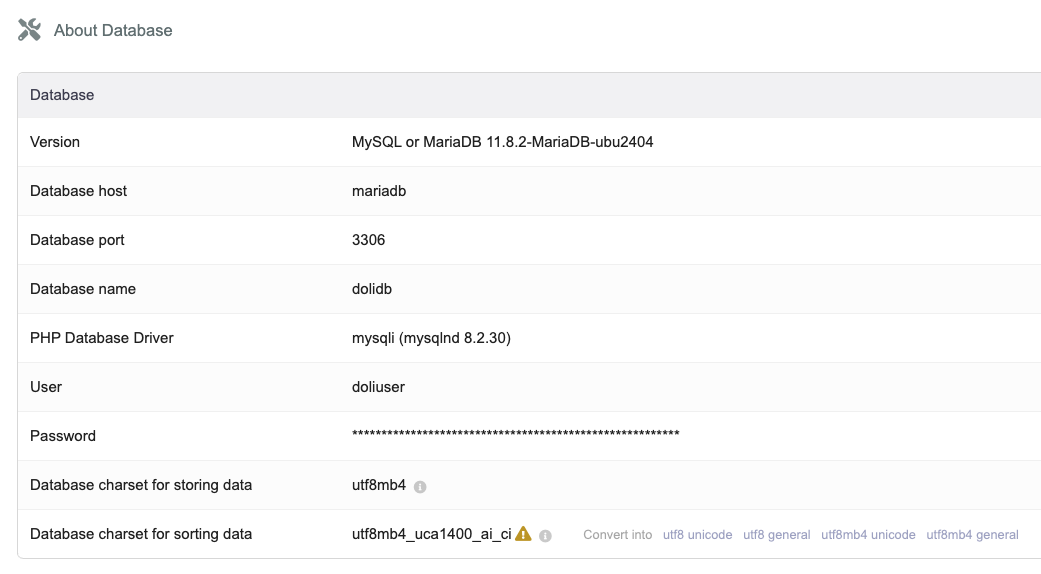
I recommend utf8mb4_unicode_ci in your setup, works on MariaDB and MySQL. Handles multilanguages well including my Japanese.

CHARACTER SET utf8mb4
COLLATE utf8mb4_unicode_ci;

To keep your database snappy be consistent for all tables. I use myself utf8mb4_0900_ai_ci on MySQL 8.0 because can in some cases be faster 10%-20% due the used Unicode algorithm.

This is just my two cents, its really a database discussion

thank you for answering @erikvanberkum

I’ve done this

MariaDB [(none)]> ALTER DATABASE dolidb COLLATE utf8mb4_unicode_ci;
Query OK, 1 row affected (0.009 sec)

and restarted both mariadb and dolibarr containers. I still get strange characters - the same strange characters?

which the help of lumo I tracked it down and have possibly fixed it

I see the issue now. The CONVERT method doesn't work because MariaDB validates the UTF-8 bytes before conversion. The bytes C3 83 C2 A6 are valid UTF-8 (they spell "æ"), so MariaDB doesn't see them as corrupted.

We need to use raw byte manipulation with HEX() and UNHEX() to fix the double-encoding. This bypasses all character set validation.

The Working Fix: Hex Replacement Method
Run these commands in order in your MariaDB container:

Step 1: Change Column to Binary (Bypass Charset Validation)
ALTER TABLE llx_c_regions MODIFY nom VARBINARY(255);

This converts the column to raw bytes without any character set interpretation.

Step 2: Replace the Double-Encoded Bytes
UPDATE llx_c_regions 
SET nom = UNHEX(REPLACE(HEX(nom), 'C383C2A6', 'C3A6'))
WHERE code_region = 8005;

How this works:

HEX(nom) converts the bytes to hex string: 536AC383C2A66C6C616E64
REPLACE(..., 'C383C2A6', 'C3A6') replaces the double-encoded æ with correct æ
UNHEX(...) converts back to raw bytes: 536AC3A66C6C616E64
Step 3: Change Column Back to UTF-8
ALTER TABLE llx_c_regions MODIFY nom VARCHAR(255) CHARACTER SET utf8mb4 COLLATE utf8mb4_unicode_ci;

Step 4: Verify
SELECT nom, HEX(nom), LENGTH(nom), CHAR_LENGTH(nom) 
FROM llx_c_regions 
WHERE code_region = 8005;

Expected Output:

nom	HEX(nom)	LENGTH	CHAR_LENGTH
Sjælland	536AC3A66C6C616E64	10	9
Notice:

LENGTH should drop from 11 → 10
HEX should show C3A6 instead of C383C2A6
Fix All Affected Columns
Once this works, you can fix all other double-encoded columns with this script:

-- Generate fix commands for all text columns
SELECT CONCAT(
    'ALTER TABLE `', table_name, '` MODIFY `', column_name, '` VARBINARY(', CHARACTER_MAXIMUM_LENGTH, '); ',
    'UPDATE `', table_name, '` SET `', column_name, '` = UNHEX(REPLACE(HEX(`', column_name, '`), ''C383C2A6'', ''C3A6'')); ',
    'UPDATE `', table_name, '` SET `', column_name, '` = UNHEX(REPLACE(HEX(`', column_name, '`), ''C383C2B8'', ''C3B8'')); ',
    'UPDATE `', table_name, '` SET `', column_name, '` = UNHEX(REPLACE(HEX(`', column_name, '`), ''C383C2A5'', ''C3A5'')); ',
    'ALTER TABLE `', table_name, '` MODIFY `', column_name, '` VARCHAR(', CHARACTER_MAXIMUM_LENGTH, ') CHARACTER SET utf8mb4 COLLATE utf8mb4_unicode_ci;'
) as fix_commands
FROM information_schema.columns 
WHERE table_schema = 'dolidb' 
AND data_type IN ('varchar', 'text', 'mediumtext', 'longtext')
AND character_set_name = 'utf8mb4';

Common Danish double-encoding patterns to fix:

Display	Hex (Wrong)	Hex (Correct)	Character
æ	C383C2A6	C3A6	æ
ø	C383C2B8	C3B8	ø
Ã¥	C383C2A5	C3A5	å
Æ	C383C286	C386	Æ
Ø	C383C298	C398	Ø
Ã…	C383C285	C385	Å
Important: Prevent Future Corruption
After fixing the data, you must add the LANG environment variable to your Dolibarr container, or new data will get corrupted again.

Edit docker-compose.yml:

services:
  dolibarr:
    image: dolibarr/dolibarr:23.0.0
    environment:
      - LANG=en_US.UTF-8
      - LC_ALL=en_US.UTF-8
      - LC_CTYPE=en_US.UTF-8
    # ... rest of config

Restart:

docker compose up -d --force-recreate dolibarr

Try the Hex Replacement Now
Run the 3-step fix (VARBINARY → REPLACE → VARCHAR) and let me know if the hex changes to 536AC3A66C6C616E64! This is the most reliable method for fixing double-encoded UTF-8 data in MariaDB.


Regenerate
YES, this last step worked :-)

I also need to make my demo dolibarr use the right locale in the container.

1 Like

For heavy database lifting like this, I recommend using the HeidiSQL open source tool rather than phpAdmin. Glad you fixed it.

thanks, it does seem like a desktop editor? which I can’t use because my mariadb is hidden away inside a pod inside podman. Inside my pods are these containers:

  • mariadb
  • dolibarr
  • cron dolibarr for running scheduled tasks
  • valkey/redis
  • a sleeping dorment phpmyadmin
  • 2 containers with my own code, both python flask, one runs the form for dance class registrations, the other runs the dashboard that visualizes the dance class registrations.

All this is wrapped in a pod, and the only openings are:

  • dolibarr
  • my form container
  • my dashboard container
  • and that sleeping phpmyadmin that I only start if I need to look at the database

Inside the pod every container can freely communicate with any other container, and they do that on localhost - or rather on 127.0.0.1 because there are no DNS, and if you tell phpmyadmin to use localhost, then it expects a socket to talk to mariadb, and there are no socket because that is hidden inside the mariadb container.

At the moment I run it using podman, but I am planning to transition to k3s.

Oh yeah, and it is not really fixed, I found some more characters yesterday which was not as they should be. Luckily this is just my demo system that I also use for development, at some point I will have to recreate it using all the correct charsets and make sure it looks good.

You can just make a TCP/IP connection and SSH into the container via the HeidiSQL interface. Once you use HeidiSQL, you never want to see phpMyAdmin again.

but @erikvanberkum, my container does not run SSH, my host does, but I can not from my host make a TCP/IP connection into mariadb running inside the container because that port is not exported, and I can not turn the export on and off as I can with the phpmyadmin container.

And if I switch to running on k3s, it will be even harder to SSH into.

It is not that often I do DB work, mostly it is to see the tables and columns when developing for Dolibarr.