Convomail: send, read and file email from inside Dolibarr

Convomail: send, read and file email from inside Dolibarr

My users miss details when moving back and forth from inboxes to Dolibarr, so I brought email into Dolibarr further than the email-collector. I built an email client for Dolibarr with deep integration into Dolibarr’s project, quoting, ordering, invoicing, and AI modules.

Sending. Each user sets up IMAP/SMTP on their user card (presets for Gmail and Microsoft 365, OAuth supported). Mail goes out through their own SMTP server, so it passes SPF/DKIM and lands in their real Sent folder. Every sent message is logged as a normal agenda event, linked to the third party, known contacts, project and document. Compose is rich text with signatures, Dolibarr templates, pasted images and address autocomplete, and any logged email with a Message-ID gets a Reply button.

Reading.
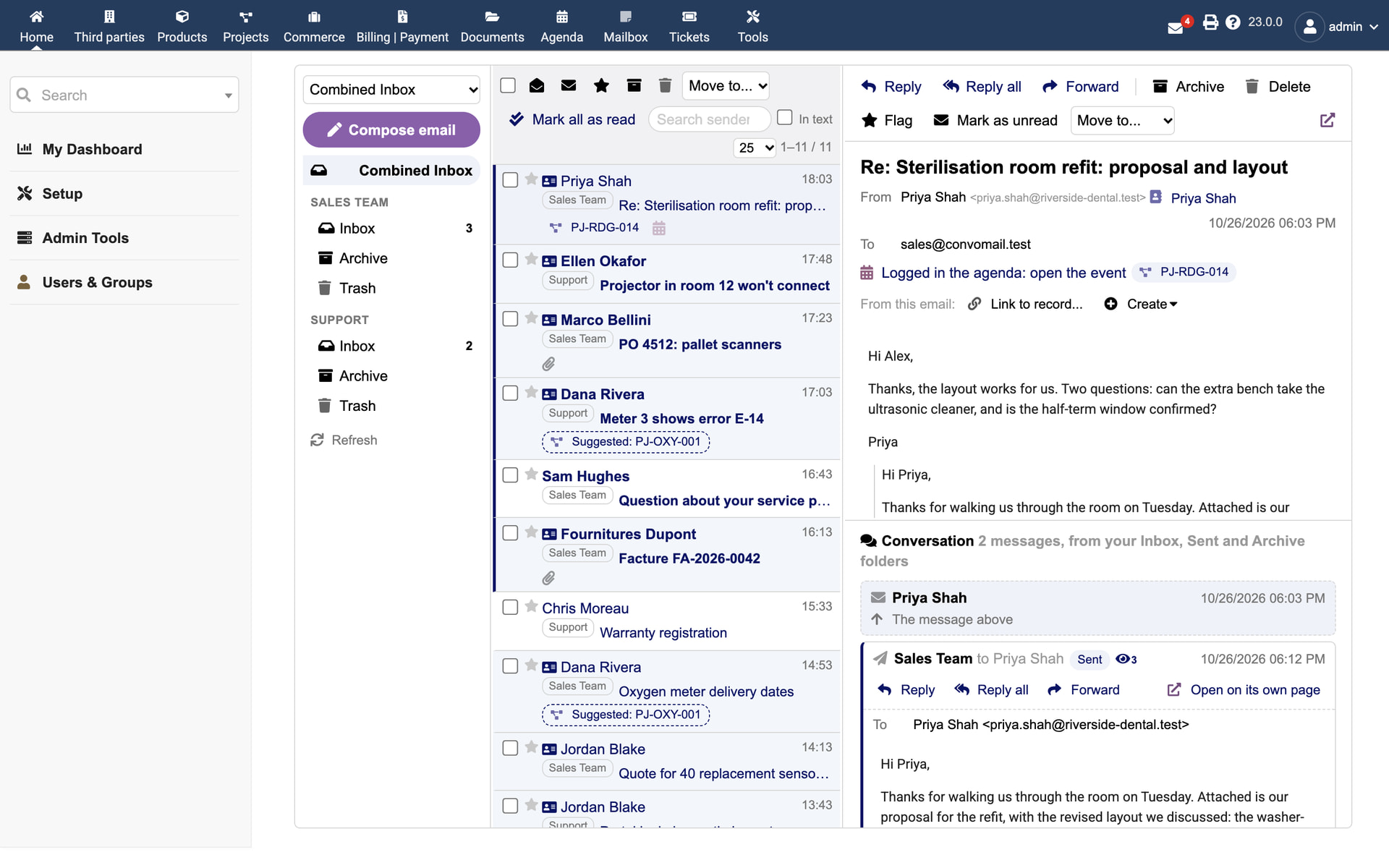
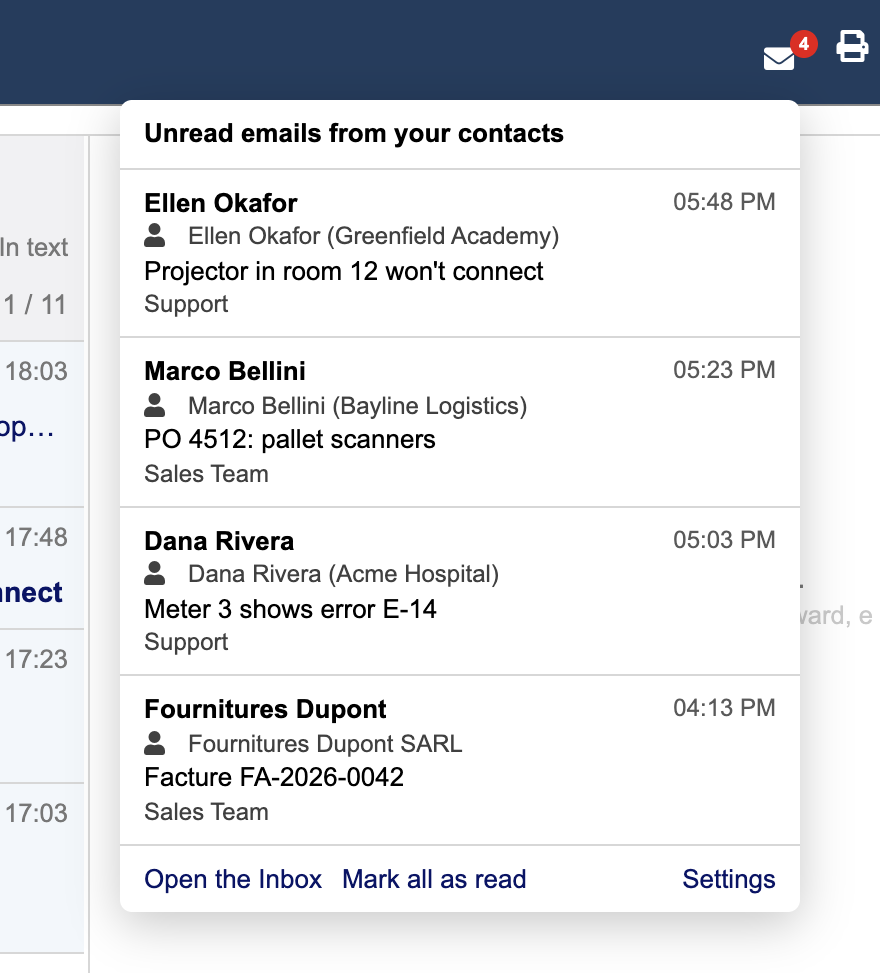
There’s a Mailbox entry in the top menu: three panes, drag and drop, keyboard shortcuts, phone layout. Emails from known contacts are marked, and each one is matched to a project where possible (thread, Dolibarr tracking code, or a suggestion). Replies to project threads file themselves on the project, and each project gets an Emails tab. If you work several mailboxes (yours plus a shared sales@), there’s a Combined Inbox, and an unread counter in the top bar for mail from your Dolibarr contacts.

From an email into Dolibarr.
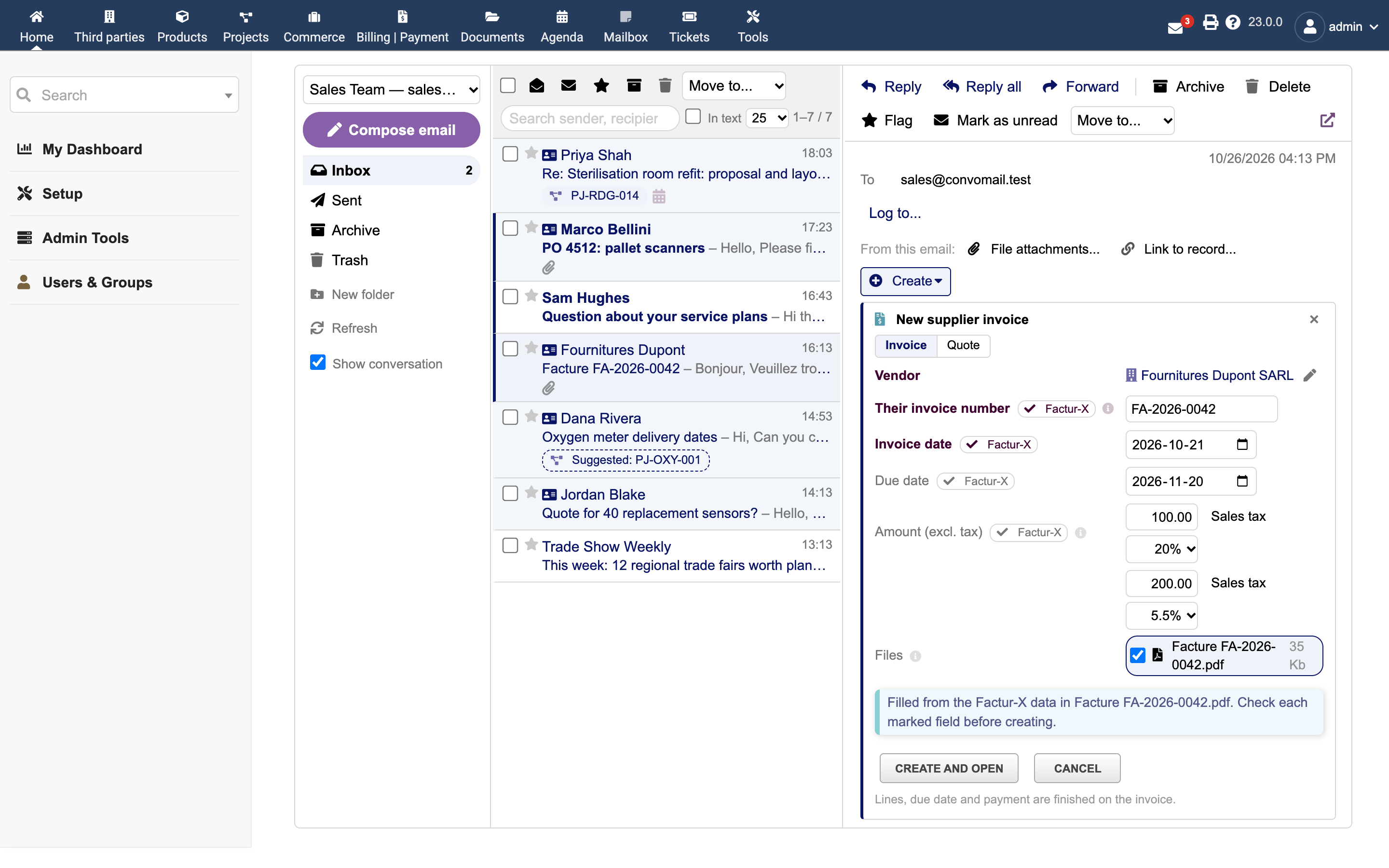
Under an open message you can file its attachments on any record, link it to an existing document (“PO #4512” in the subject finds the order), or create a draft proposal, order, invoice, ticket or project pre-filled from it. Supplier invoice PDFs with e-invoice data (Factur-X, ZUGFeRD, XRechnung, UBL/CII) can fill in the number, dates and VAT lines, with a VAT number check and a warning when the sender address doesn’t match the supplier. Nothing is created without you submitting the form.

Opens.
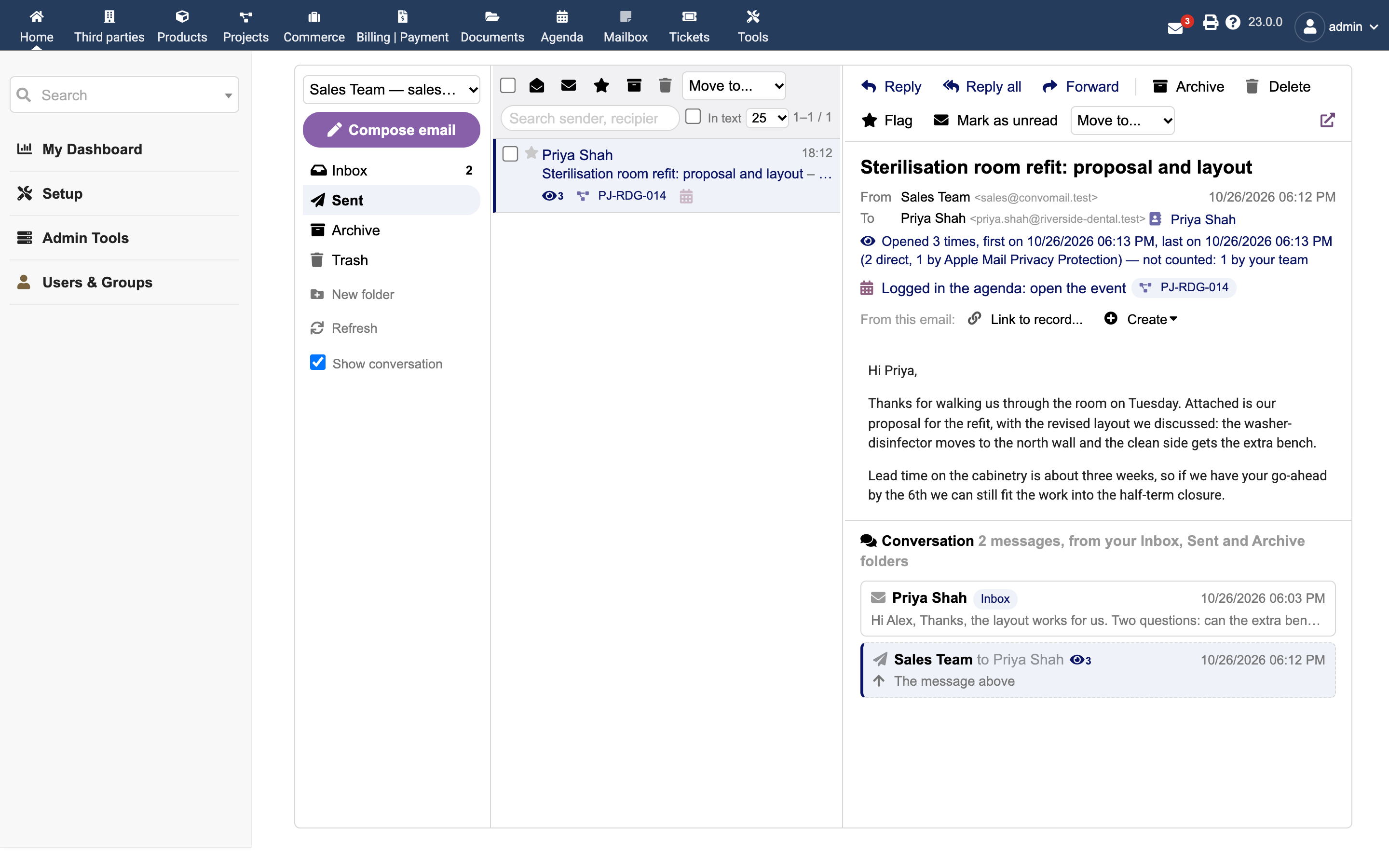
Read receipts, plus optional pixel tracking (off by default). It strips its own pixel from incoming mail and quotes, and ignores loads from your own team, image proxies it can identify, and security scanners — so the open counts are a usable hint instead of noise.

Shared mailboxes. sales@ or support@ can be shared with chosen users, read only or with send rights.

No core changes (there’s an optional 5-line patch that adds a setup tab, but it works without it). Permissions are Dolibarr’s own, and passwords/tokens are stored encrypted with Dolibarr’s key.

Dolibarr 20+, PHP 8.1+. Tested on 20 and 23 against GreenMail and Dovecot test servers, but not against real Gmail or 365 yet — reports from either would be very welcome.

GPL-3.0: Releases · zacharymelo/convomail · GitHub — grab the zip and install it through Home > Setup > Modules > Deploy external module. The README covers the OAuth app setup.
Tested on Dolibarr 24.0.4 / PHP 8.2.33 and mail at netcup.
works fantastic.

Many thanks for the great work and sharing it.

Thanks for the support Kim!

Added junk mail classification and recovery this morning as well as some minor bug fixes. Really appreciate your audit earlier!

Unfortunately it doesn’t worked for me. I installed it, activated it and then i got Page 404 when I have tried to set it up.

Dolibarr version 24.0.1

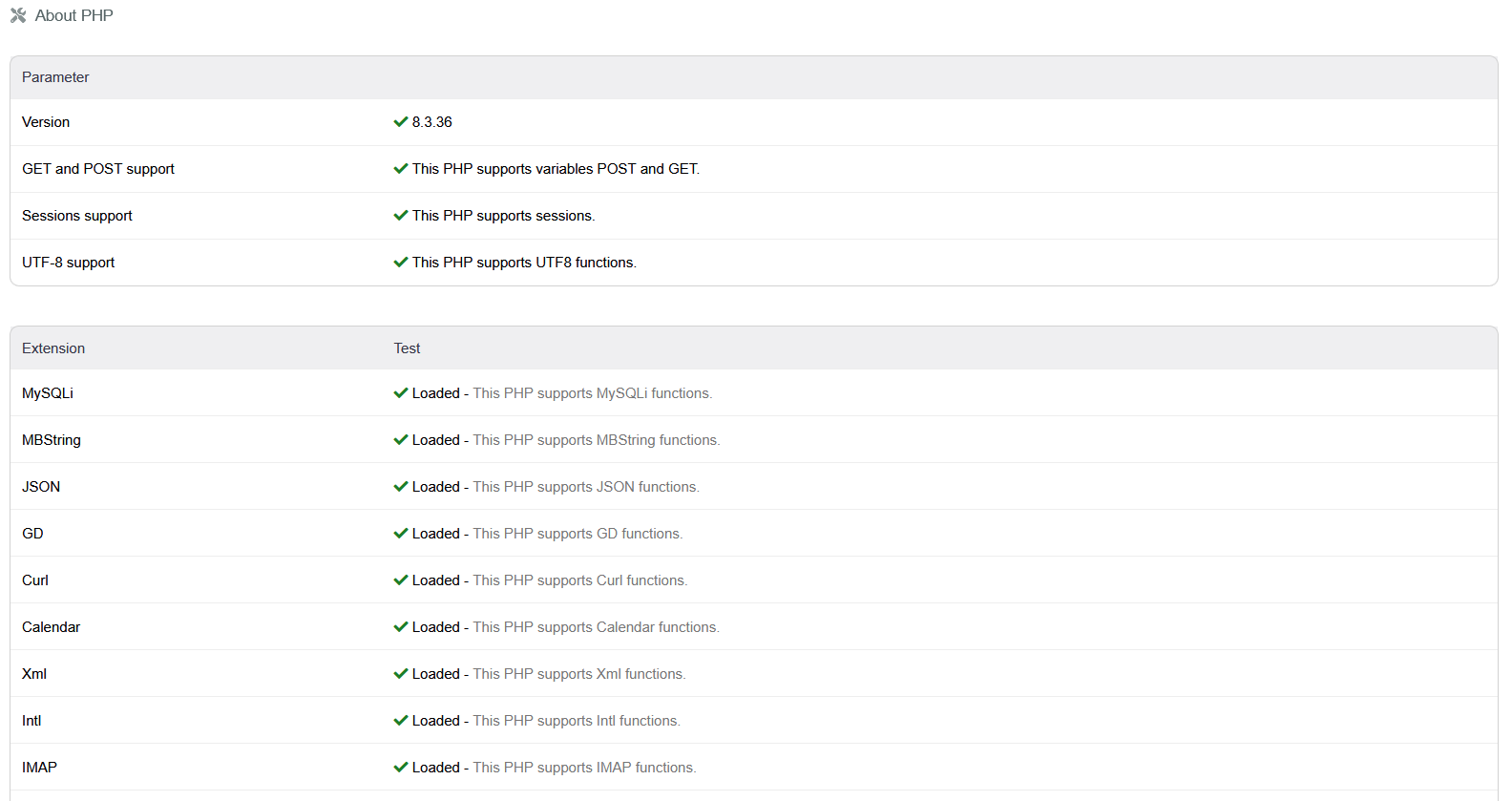
PHP 8.3.36

Are you saying that the setup page 404s?

Can you share details about your server setup? Are you in a subdomain or a subdir?

Let me know what’s going on and I can correct the code or help you other ways.

Hi, the script is installed on a shared web hosting under the following path https://my-website.com/dolibarr

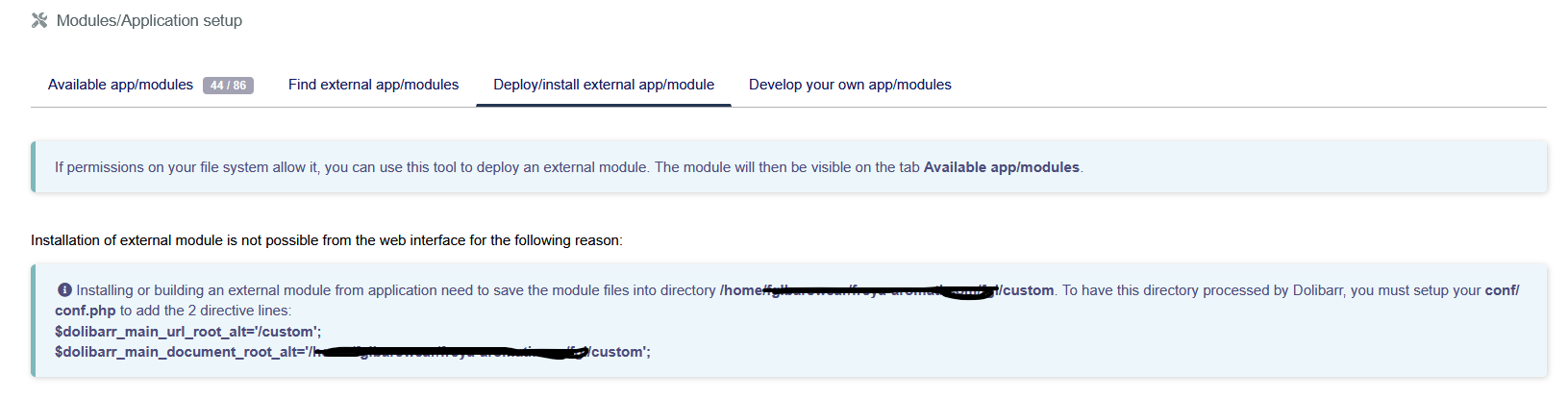
When i went on the page Deploy external module i got the below information:

I did it and then the module appeared and i activated it. Then when i pressed the set up icon it suddenly went to 404 page. It does the same when i click on the envelope and also on the settings from the user profile card.

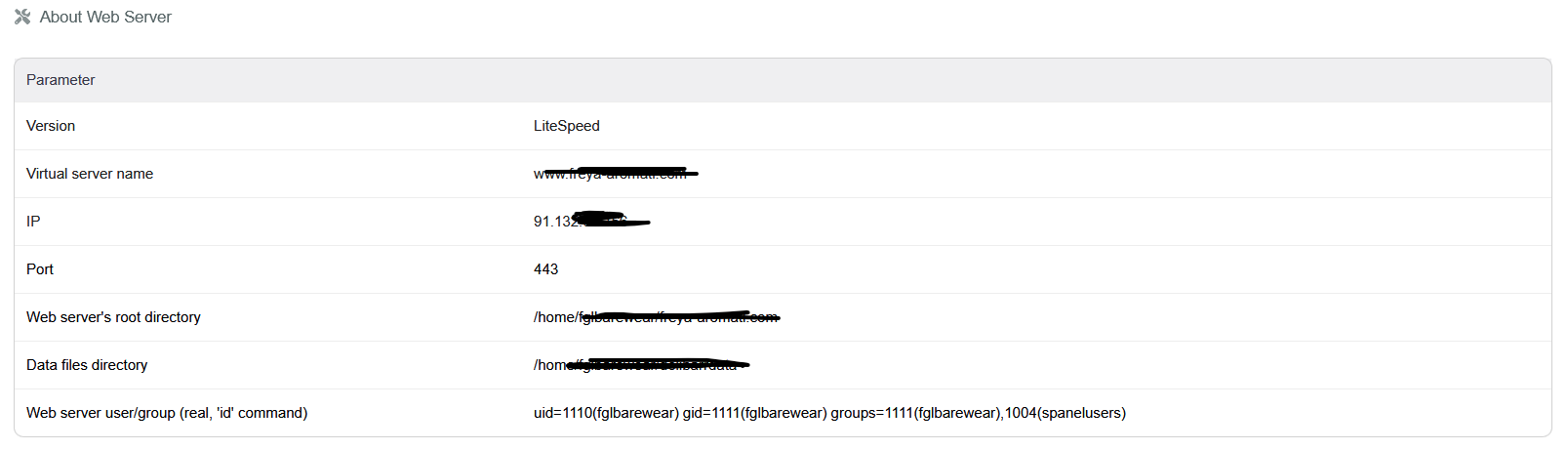
And this is the server info:

cool. Does it work with shared mailboxes?

Yes, it has shared and personal mailboxes.

I haven’t yet integrated the sending into other areas of dolibarr, but I think I need to investigate the core of how Dolibarr handles ‘messages’ and look at a big change to ‘email/agenda’ objects.

I’ve made an instagram/fb/meta chat, as well as use an SMS chat module, and with all of these things having a common object model available - I’m duplicating things across modules instead of leaning on a solid core foundation.

When you get the 404, what is the exact URL in the address bar?

Depending on what’s in the address bar it could be a few things causing the 404. I want to work this out so that others aren’t troubled with this bug. Thanks for working with me so far.

Here is a table with possible causes for the 404:

URL path Meaning Fix
/dolibarr/convomail/... The /custom setting isn’t being applied Fix the two conf.php lines (below)
/dolibarr/custom/convomail/... The link is right, but the files aren’t where that URL points Check the folder location (below)
/custom/convomail/... (no /dolibarr) The main Dolibarr URL setting is wrong Set $dolibarr_main_url_root to https://my-website.com/dolibarr

Fix for the first case:

conf.php is in the conf folder of your Dolibarr install, and you should use your real Dolibarr path:

$dolibarr_main_url_root_alt='/custom';
$dolibarr_main_document_root_alt='/home/.../custom';
  • Format: the lines must not start with //, because the installer can write them commented out. They must also come before any closing ?>.
  • URL value: it must be exactly /custom, not /dolibarr/custom or a full https:// address.
  • Quick check: reopen Deploy external module. If the “must setup your conf/conf.php” message is still there, the setting isn’t being applied.
  • If the edit doesn’t take effect: conf.php may be cached by PHP (OPcache), so restart PHP from the hosting panel.

Checks for the second case:

  • File location: <DOL_DOCUMENT_ROOT>/custom/convomail/mailbox.php must exist, using the same folder their warning message named. It must not be nested, as in custom/convomail/convomail/, or sitting one level above htdocs.
  • Direct test: open https://my-website.com/dolibarr/custom/convomail/mailbox.php. A 404 there means the web server can’t reach that folder, so the cause is the folder location or a hosting rule. The PHP IMAP extension shown in their screenshot isn’t relevant, because Convomail uses its bundled Horde library.

Are you normally able to install 3rd party or custom modules?

You’re running lightspeed, which I’m not - so I may get around to testing that as a potential cause of error, but I’m betting it’s one of the above with the URL being malformed or otherwise incorrect.

Thank you for getting back to me with the details of your install. Hoping this solves it. If not, I’ll keep working on this with you.

Hi there,

the 404 page carries this url

https://www.my-domain/dolibarr/convomail/admin/setup.php?save_lastsearch_values=1&backtopage=%2Ffgl%2Fadmin%2Fmodules.php%3Fmainmenu%3Dhome

Side note: I have tried the solution in your post above and after restarting the PHP (i have changed the PHP version from current to the lowest possible and then returned to the latest version) the 404 error solved. I’ll try setting it up now and will give it a bit of a testing. I’ll share also my impression after that if you are interested.

Most likely PHP was still running a cached copy of the old file, and switching versions cleared it. If you edit conf.php again and nothing changes, restart PHP the same way.

Yes, I’d love to hear your impressions once you’ve tried it. Convomail hasn’t been tested against real Gmail or Microsoft 365 servers yet, so it would be especially useful to know which mail provider you use and whether anything misbehaves.

Sure!

I can’t test it with Microsoft 365 accounts, cuz i don’t have one, but i can test the following:

Gmail:

Unfortunately, i did not have success connecting to their servers. This is the error i am getting constantly, doesn’t matter the if i am using pop or imap server

IMAP connection to imap.gmail.com failed: Error when communicating with the mail server.
SMTP connection to smtp.gmail.com failed: Connection could not be established with host smtp.gmail.com :stream_socket_client(): Unable to connect to ssl://smtp.gmail.com:465 (Network is unreachable)

For Gmail i actually found out that if you are using 2-factory authentication you are not able to connect. Instead, you have to have a specific password (App password), generated from Google, which you have to use as Gmail password in order to set up the connection.

Local hosted emails:

For some reason i can’t connect any emails to one of the installations (perhaps due to the ClodFlare security). For the second Dolibarr installation though, everything was OK and works perfect. It is again hosting email but different hosting company. The module even recognizes if the email is part of my customer’s records and creates link to that account directly. A very nice feature.

As for the Microsoft accounts, i have a free email there and this is the result:

IMAP connection to imap-mail.outlook.com failed: No supported IMAP authentication method could be found.
SMTP connection to smtp-mail.outlook.com failed: Connection could not be established with host smtp-mail.outlook.com :stream_socket_client(): Unable to connect to tcp://smtp-mail.outlook.com:587 (Network is unreachable)

And what I’ve noticed - when you are sending email from that module you are not getting any record in Sent folder. Also the email is missing on the mail server itself. Instead, it is recorded as an event in the calendar inside Dolibarr. It is not very wise to have only this type of record cuz it is not traceable. If you want to do a follow up you have to check the calendar and try a reply or forward from there. Instead, it will be nice to have the email also in the Sent folder. IMAP protocol will sync it to the module and it will be visible also in Mailbox in Dolibarr.

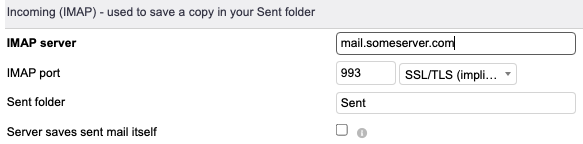
That’s interesting that you don’t get a sent folder; did you check this box:

When I leave this unchecked, I am able to see my sent emails in the servers Sent box. Your sent box may be INBOX.Sent or something else perhaps?

I agree with you about using the mail server. This is one reason I prefer to use this mail tool over the native Dolibarr emailing.

I will look into the oAuth setup issues.

Yeah, you are right. When i uncheck the box and remove the content in the Sent folder field, everything is as suppose to be.

The sent emails are correctly showing in to the Sent folder and they are also recorded on the server. Unfortunately the rest of the errors i am getting are still valid. I can’t test the connection with Microsoft free email account - live.com and outlook.com