Hi everyone,
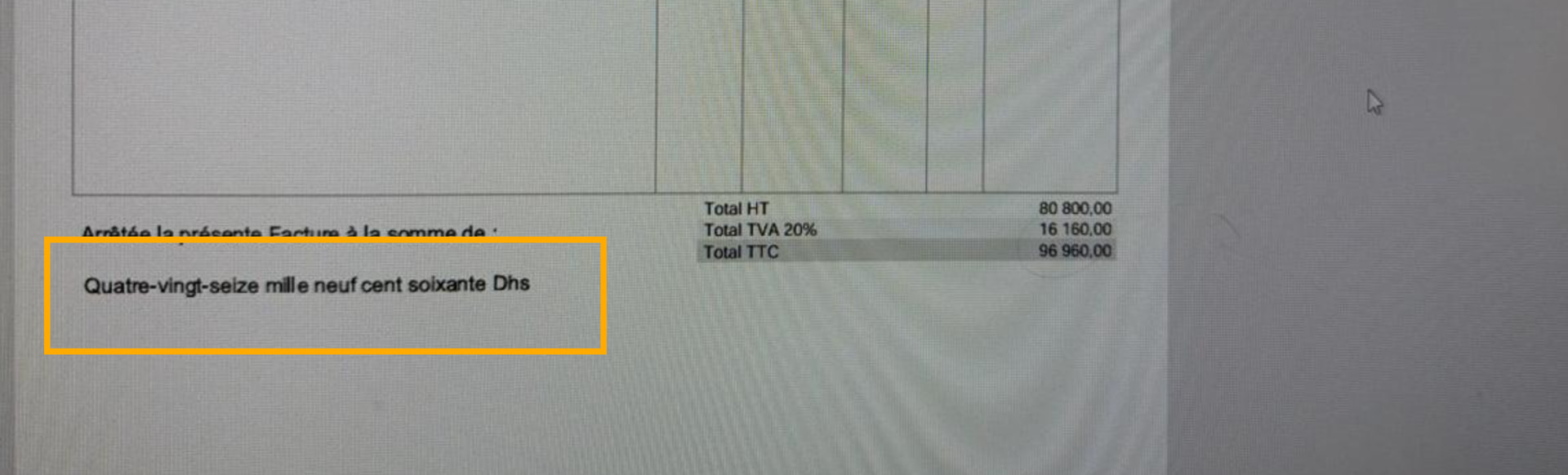
I need help with a configuration issue. I want to display the price in words (text format) on my invoices, but I’m not sure how to set it up correctly.
If anyone knows how to configure this or has done it before, I’d really appreciate your guidance.
I have never edited any of the invoice templates, and I think it is necessary. But not only do I think that you need to edit the template, I think you need a new feature in Dolibarr that translates the price to words.
Dolibarr doesn’t have a native “amount in words” field out of the box, but it can be added cleanly without a core change — the approach depends on which PDF model you’re using:
ODT templates (simplest approach):
The ODT substitution system doesn’t have a {totalinwords} variable by default, but you can add one via a small hook module. The hook odtsubstitution fires during ODT generation — you add your own key/value pair to the substitution array, converting the total using PHP (NumberFormatter class or a custom function), then reference it in your template like any other variable.
PHP PDF templates (more control):
If you’re using a PHP-based PDF class (pdf_crabe, pdf_cyan, etc.), extend it in a custom module. Add a method converting the amount to words (PHP’s NumberFormatter or a library like number_to_words) and print it wherever your layout needs.
Quickest option — DoliStore: Several localized modules add this already. Search DoliStore for “amount in words”, “montant en lettres”, or “importe en letras” depending on your invoice language — some are quite lightweight and handle multiple currencies/languages.
Happy to sketch a working hook example if you’re going the custom route.
—
Ali — Dolibarr AI Consultant / SiliconBlaze.com