
I’ve change every favicon.ico in dolibarr directories, restart apache service, but nothing happened.
I just wanted to change it to company logo.
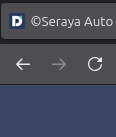
This is what I meant. The D icon with a green circle on top right corner.
1 Like
What does the webserver logfile say about the location of the favicon.ico file location?
I already found it! It’s actually /usr/share/dolibarr/htdocs/theme/dolibarr_256x256_color.png
Not a favicon!!
Hi,
On my Dolibarr 18 LTS the square logo of my company settings is automatically used as the favicon.
This logo also appears at the top left corner of my pages in Dolibarr.
Changing the favicon in Dolibarr isn’t just about replacing every favicon.ico. Browsers often cache it heavily. Try this:
- Put your company logo as
favicon.icoin/htdocs/theme/common. - Also replace the PNG versions in
/htdocs/theme/common/(favicon.png, etc.) since some browsers prefer those. - Clear your browser cache (or test in a private/incognito window) to see the new icon.
- Restarting Apache is fine, but the main issue is usually cache.
After that, your logo should show up instead of the default Dolibarr “D”.




