
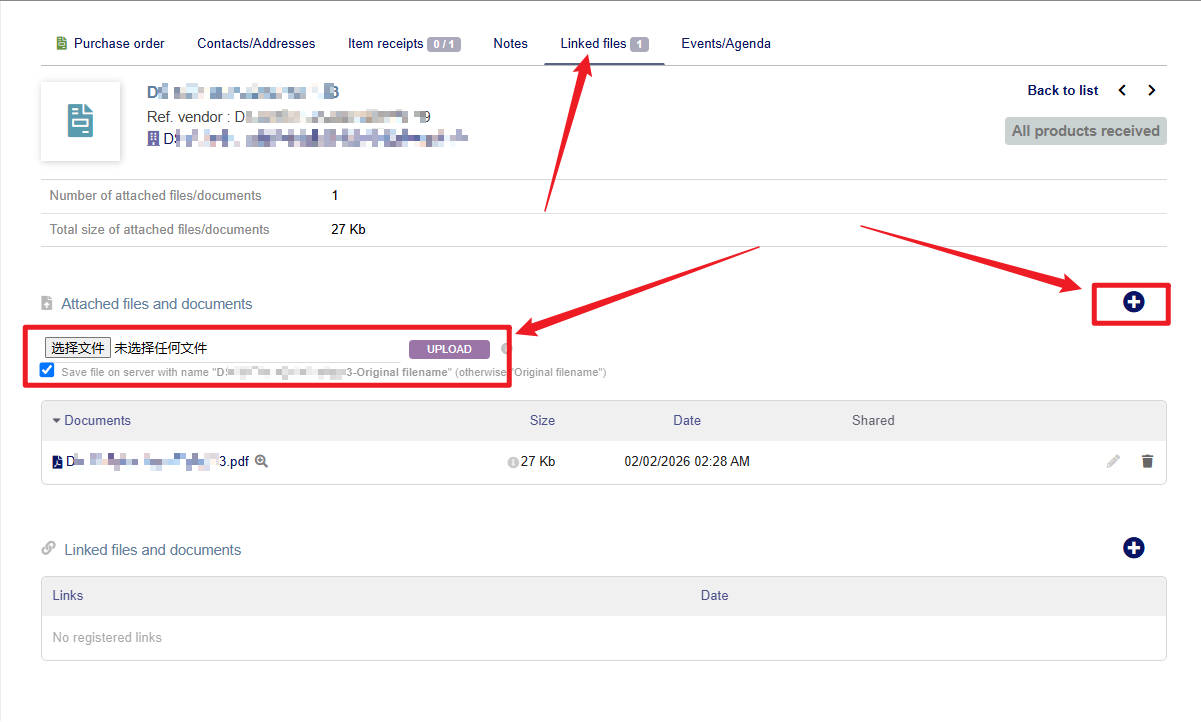
After upgrading from version 19 to version 22, it is necessary to click the “+” button in the linked file before uploading the file. How to directly display the file selection box without clicking the “+” button
1 Like
Re-enable/deactivate the module; if that doesn’t work, please share the error logs.
Could you please tell me how to turn off this “+” button so that the uploaded files are displayed directly like in version 18?
Which specific module needs to be shut down?
given that the screenshot mentions orders, I think that is what was meant
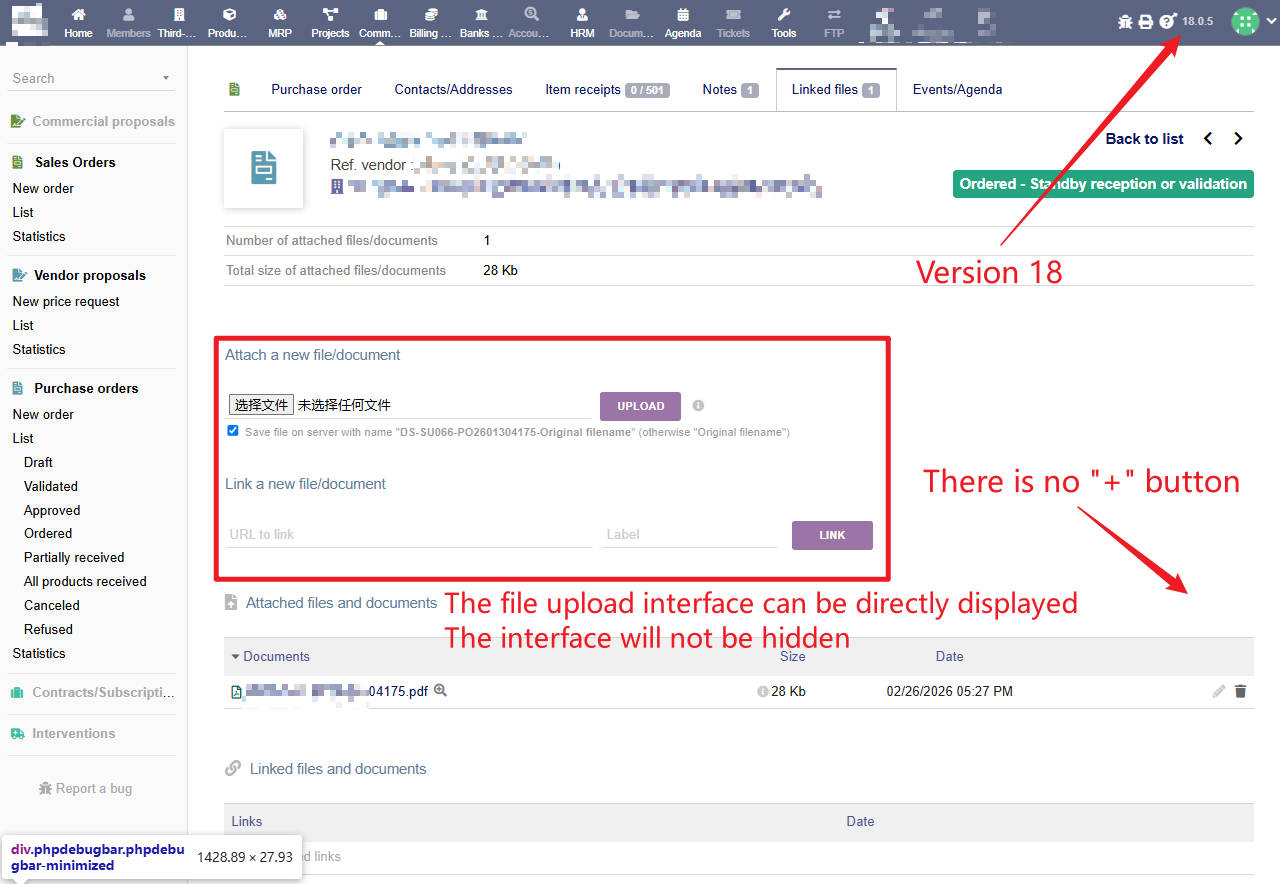
Okay, now I understand. After version 19, this “show/hide” function was changed to “toggle,” and it’s activated via JavaScript.
jQuery(".divattachnewfile").toggle();
if (!jQuery(".divattachnewfile").is(":hidden")) { jQuery("input[type='file']").click();}void(0
If you want it to be directly visible, you need to do it with JavaScript because this is a template design issue.
jQuery(".divattachnewfile,.divlinkfile").removeClass("hidden");
jQuery(".divattachnewfile,.divlinkfile").show();
jQuery(".btnTitleSelected").hide();
 Add this code to the JS file of an existing module, or create a new general-purpose module and add it to its “js” files.
Ok. Thank you.
May I ask which specific file needs to be modified?
In which directory is the file?
Create a new module using ModuleBuilder, following the instructions here. In the ModuleBuilder area, go to the JS tab and create a (+) js file. Add the code I provided. Create a new module using ModuleBuilder, following the instructions here. In the ModuleBuilder area, go to the JS tab and create a (+) js file. Add the code I provided.Note: If you have no knowledge of software and are unsure of what you are doing, please seek professional assistance.
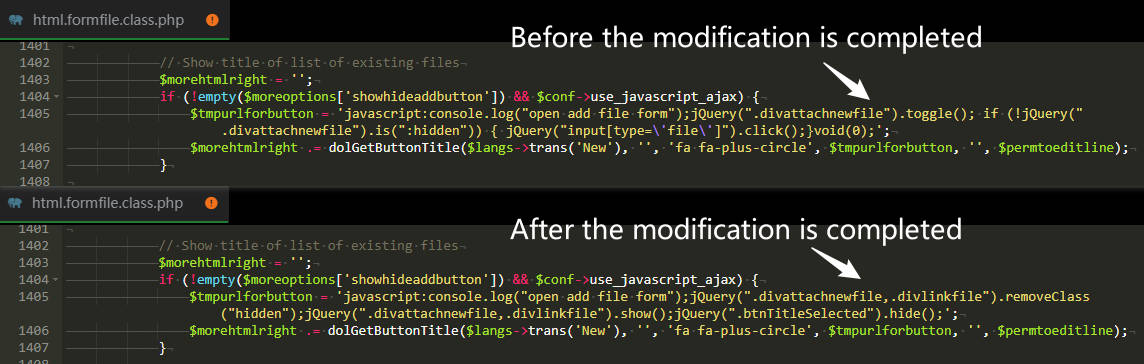
I modified the 1405th line of code in this file
/htdocs/core/class/html.formfile.class.php
Now you still need to click the “+” button to display the file upload box
How to set it to display directly without clicking a button? Same as version 18
@umigun Thank you
This view is generated from a (expand/collapse) HTML template vs. made dynamic with JS. Modifying the original Dolibarr documentation is not a healthy solution. You will lose these changes in situations like drag upgrades.
Ideally, you should do this with a module.
Also, the marked area indicates that there is a setting. I’ll look into that further.

1 Like
Hello, where can I turn off this setting?




