Missing BBAN/Branch Code fields for Canada in v22.0.4

Environment:

  • Dolibarr Version: 22.0.4
  • Operating System: macOS 26.2 (Apple M4 Pro)
  • Web Browser: Safari 26.2
  • Installation Type: Standard (Softaculous/Manual - adjust as needed)

Problem Description: I am setting up a Canadian distribution company and need to record vendor bank details using the Canadian format (3-digit Institution number + 5-digit Transit number + Bank Account number).

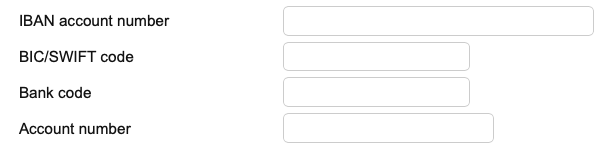
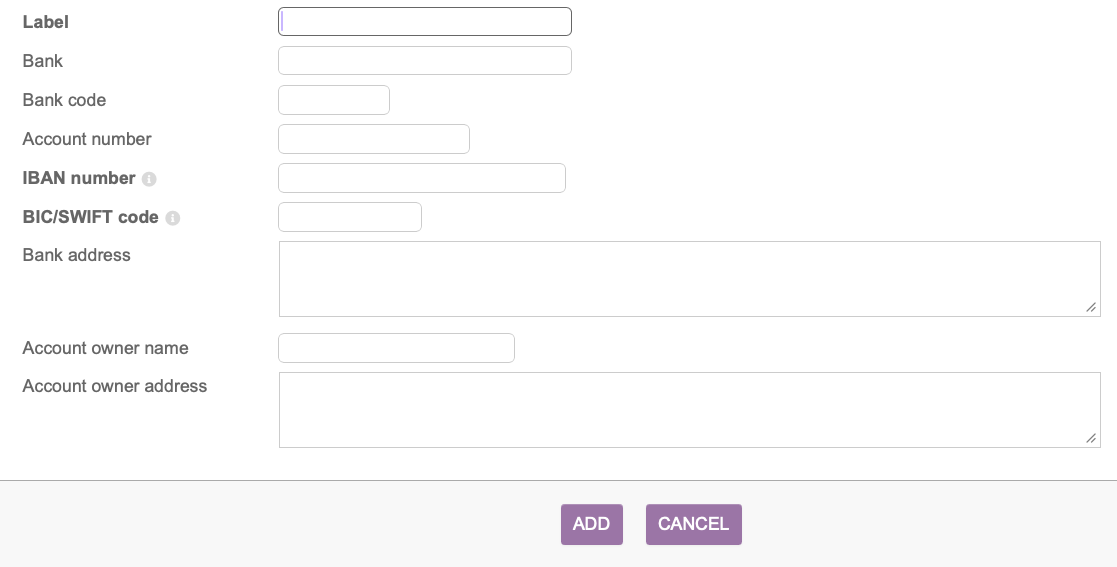
Despite setting the Third Party country to Canada (CA), the “Bank Accounts” tab only displays IBAN and BIC fields. The domestic “Bank Code” and “Branch Code” fields are nowhere to be found.

Troubleshooting Performed:

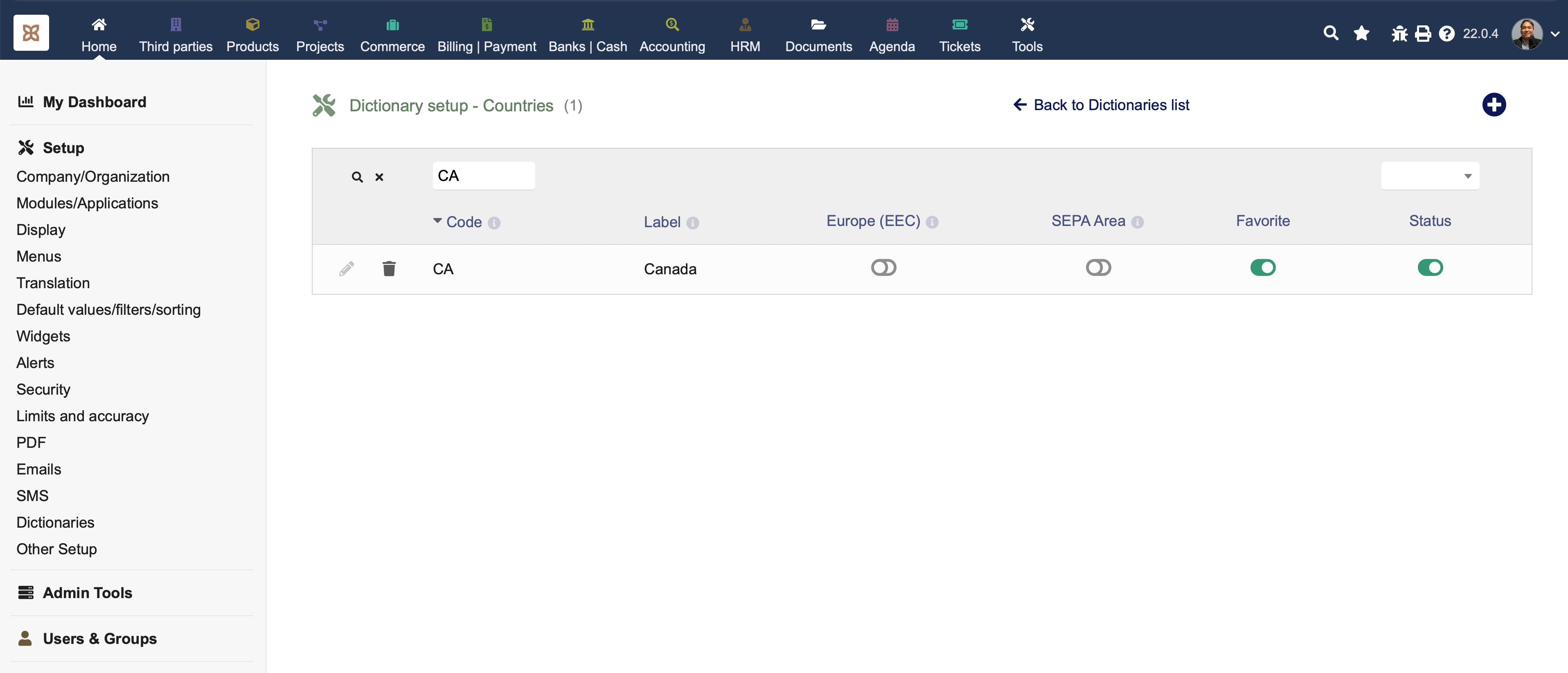
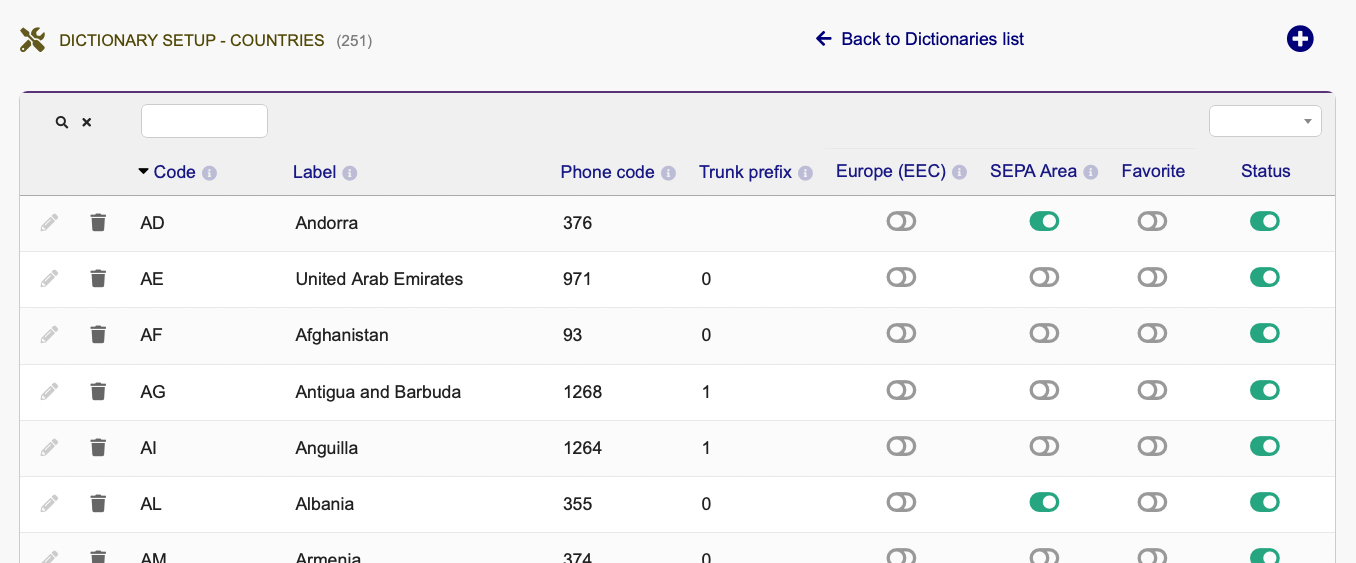
  1. Dictionary Setup: Navigated to Setup > Dictionaries > Countries. When editing Canada, the “Bank account format” field is not visible. Only EEC and SEPA checkboxes are present.
  2. Database Inspection: I queried the llx_c_country table. The column format_rib (or bank_format) is entirely missing from the schema. The available columns are: rowid, code, code_iso, Numeric_code, Label, eec, sepa, active, favorite.
  3. Module Configuration: Checked Bank/Cash module setup. The option to “Display order of bank accounts for countries using detailed bank number” set to “General” does not resolve the field visibility for Canadian vendors and my own bank accounts.
  4. Hidden Variables: I have already set MAIN_IBAN_IS_NEVER_MANDATORY = 1 in Other Setup. This allows me to save records with a blank IBAN, but it does not reveal the missing Branch/Transit code fields.

Questions:

  1. In Dolibarr 22, where has the banking format logic moved if it is no longer in the c_country table?
  2. Is there a specific SQL command or hidden constant to force the BBAN (Bank/Branch/Account) layout for non-SEPA countries like Canada in this version?
  3. Is this a known schema issue in v22.0.4 with Safari, or am I missing a localization module specific to North America?

Thank you for your assistance.

Best Regards,

Sterling
Edit:

Below is probably incorrect, it could be this definition:

The banking records are stored in the llx_societe_rib table which is defined here dolibarr/htdocs/install/mysql/tables/llx_societe_rib.sql at develop · Dolibarr/dolibarr · GitHub

maybe it would make more sense to add the format to this table - because some companies might have bank accounts in different countries?

Hello Jon,

Thanks for your reply!

I definitely understand that the .sql creates the table. In my case, the table seems to be created correctly:

Field Type Null Key Default Extra
rowid int(11) NO PRI NULL auto_increment
entity int(11) NO MUL 1
type varchar(32) NO ban
label varchar(180) YES NULL
fk_soc int(11) NO MUL NULL
datec datetime YES NULL
tms timestamp NO current_timestamp() on update current_timestamp()
bank varchar(255) YES NULL
code_banque varchar(128) YES NULL
code_guichet varchar(6) YES NULL
number varchar(255) YES NULL
cle_rib varchar(5) YES NULL
bic varchar(20) YES NULL
bic_intermediate varchar(11) YES NULL
iban_prefix varchar(100) YES NULL
cci varchar(100) YES NULL
domiciliation varchar(255) YES NULL
proprio varchar(60) YES NULL
owner_address varchar(255) YES NULL
default_rib smallint(6) NO 0
state_id int(11) YES NULL
fk_country int(11) YES NULL
currency_code varchar(3) YES NULL
model_pdf varchar(255) YES NULL
last_main_doc varchar(255) YES NULL
rum varchar(32) YES NULL
date_rum date YES NULL
frstrecur varchar(16) YES FRST
last_four varchar(4) YES NULL
card_type varchar(255) YES NULL
cvn varchar(255) YES NULL
exp_date_month int(11) YES NULL
exp_date_year int(11) YES NULL
country_code varchar(10) YES NULL
approved int(11) YES 0
email varchar(255) YES NULL
ending_date date YES NULL
max_total_amount_of_all_payments double(24,8) YES NULL
preapproval_key varchar(255) YES NULL
starting_date date YES NULL
total_amount_of_all_payments double(24,8) YES NULL
stripe_card_ref varchar(128) YES NULL
stripe_account varchar(128) YES NULL
ext_payment_site varchar(128) YES NULL
extraparams varchar(255) YES NULL
date_signature datetime YES NULL
online_sign_ip varchar(48) YES NULL
online_sign_name varchar(64) YES NULL
comment varchar(255) YES NULL
ipaddress varchar(68) YES NULL
status int(11) NO 1
import_key varchar(14) YES NULL

The problem I can see is that the table has 0 rows.

My question is: how can I force or enable these fields to be shown on the bank account creation screen (Canadian format: 3-digit Institution number + 5-digit Transit number + Bank Account number)? I can see the field names in the database, but nowhere to be updated in the UI :

bank varchar(255) YES NULL
code_banque varchar(128) YES NULL
code_guichet varchar(6) YES NULL
number varchar(255) YES NULL

All I’m getting is this screen:

Thanks again for your help!

Sterling

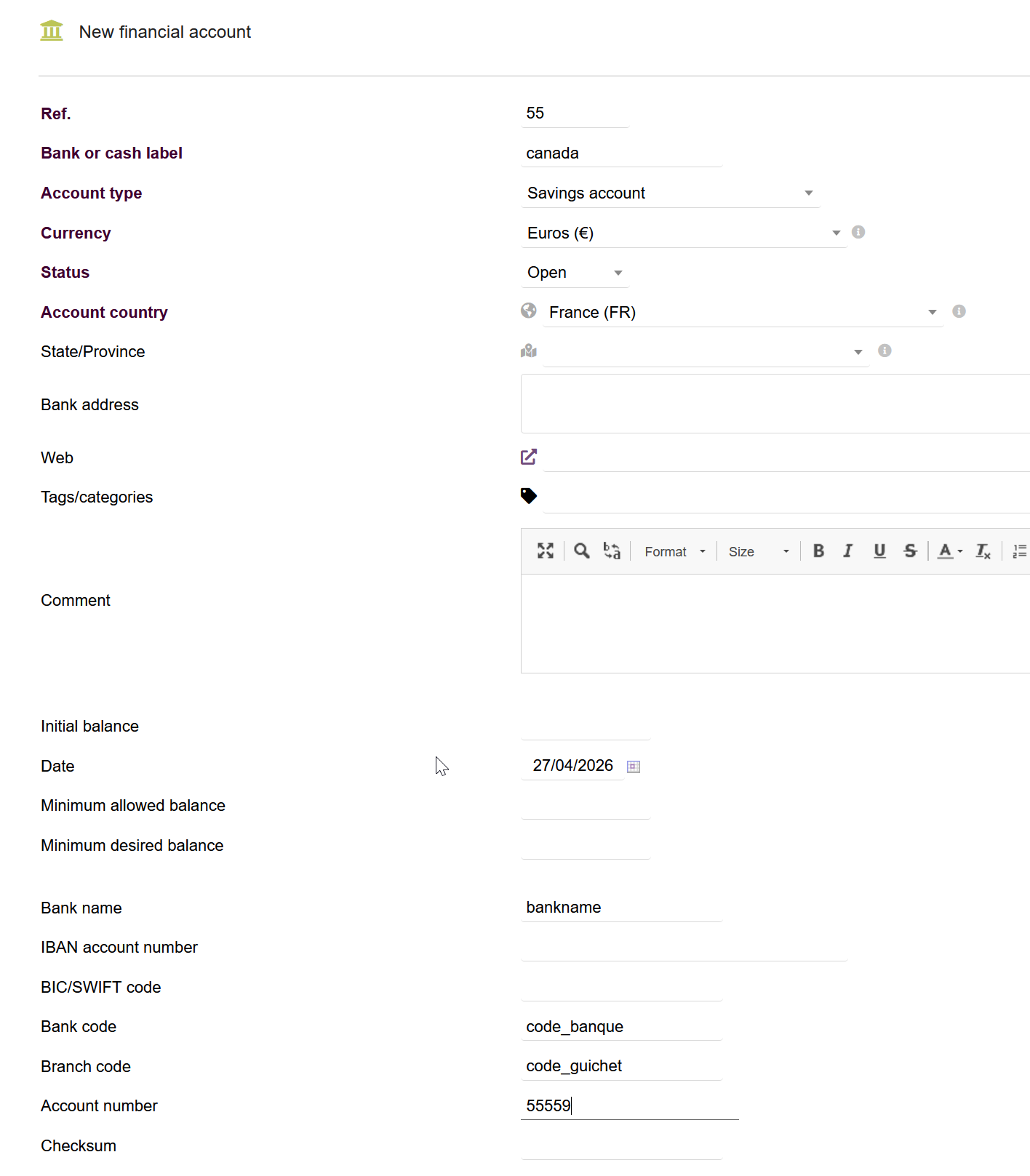
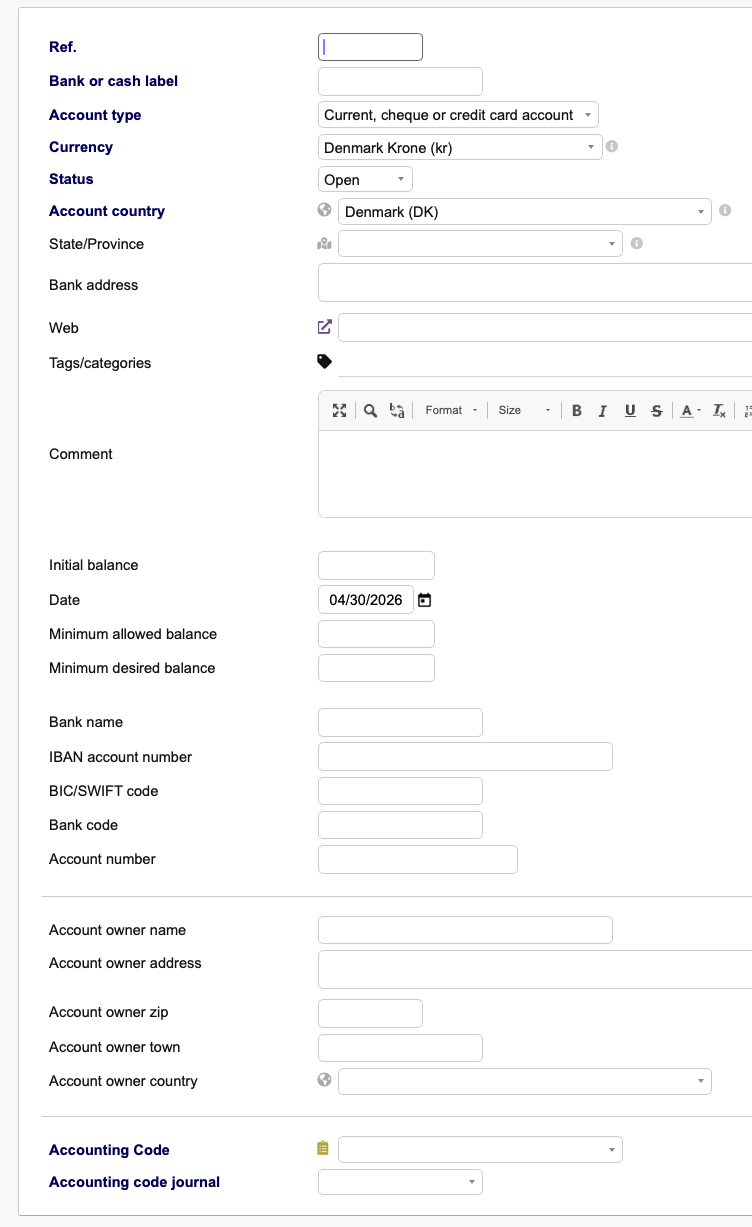
am i correct in that that screenshot is this page /compta/bank/card.php?action=create @Stejimenez ?

if so that page works on Account objects which are stored in the table called bank_account which has this definition:

I think that it is these fields you are mentioning

and I think that would be these lines

		// IBAN
		print '<tr><td>'.$langs->trans($ibankey).'</td>';
		print '<td><input maxlength="34" type="text" class="flat minwidth300" name="iban" value="'.(GETPOSTISSET('iban') ? GETPOST('iban', 'alpha') : $object->iban).'"></td></tr>';

		// BIC
		print '<tr><td>'.$langs->trans($bickey).'</td>';
		print '<td><input maxlength="11" type="text" class="flat minwidth150" name="bic" value="'.(GETPOSTISSET('bic') ? GETPOST('bic', 'alpha') : $object->bic).'"></td></tr>';

		// Show fields of bank account
		$sizecss = '';
		foreach ($object->getFieldsToShow() as $val) {
			$content = '';
			if ($val == 'BankCode') {
				$name = 'code_banque';
				$sizecss = 'minwidth100';
				$content = $object->code_banque;
			} elseif ($val == 'DeskCode') {
				$name = 'code_guichet';
				$sizecss = 'minwidth100';
				$content = $object->code_guichet;
			} elseif ($val == 'BankAccountNumber') {
				$name = 'number';
				$sizecss = 'minwidth200';
				$content = $object->number;
			} elseif ($val == 'BankAccountNumberKey') {
				$name = 'cle_rib';
				$sizecss = 'minwidth50';
				$content = $object->cle_rib;
			} else {
				$name = 'undefined';
				$sizecss = 'undefined';
				$content = 'undefined';
			}

line 573 to 605 in the file behind the page I was asking about above

Hello Jonbendtsen,

Thanks for your reply!

Yes, the screen appears in my address: Dolibarr.MyWebsite.com/compta/bank/card.php?action=create

The issue is that In North America we use three fields to Identify Bank Accounts for EFT purposes and all wire transfer:

  • 3-digit Institution number (code_banque)
  • 5-digit Transit number (code_guichet)
  • Bank Account number (number)

Me and the AI (Claude) I’m using to configure my Dolibarr instance, believed that the options shown in the screen ( Dolibarr.MyWebsite.com/compta/bank/card.php?action=create ) are tied to the Company’s Country as defined in the Country Dictionary.

The question is how to make Dolibarr show these fields (code_banque, code_guichet, and number) instead of the European Banking Fields that should only be shown when (IBAN account number, BIC/SWIFT code) when you set the country option to EEC or SEPA in the Country Dictionary?

Activating or de-activating the “Europe (ECC)” or “SEPA Area” seems to do nothing at all to that screen.

All the best,

Sterling

Hi Sterling,

seams to be a bug in Dolibarr. But if you switch the account coutry to France you have all the field:

using Canada as country for the account makes code_guichet disapear.

or you change account.class.php

line 1772:
from:

if (in_array($country_code, array('FR', 'ES', 'GA', 'IT', 'NC'))) {
    return 1; // France, Spain, Gabon, ... - Not valid for CH
}

to:

if (in_array($country_code, array('FR', 'ES', 'GA', 'IT', 'NC', 'CA'))) {
    return 1; // France, Spain, Gabon, Canada, ... - Not valid for CH
}

and line 1775:
from:


if (in_array($country_code, array(‘AD’, ‘AU’, ‘BE’, ‘CA’, ‘DE’, ‘DK’, ‘GR’, ‘GB’, ‘ID’, ‘IE’, ‘IR’, ‘KR’, ‘NL’, ‘NZ’, ‘UK’, ‘US’))) {
return 2; // Australia, England…
}

to:

if (in_array($country_code, array('AD', 'AU', 'BE', 'DE', 'DK', 'GR', 'GB', 'ID', 'IE', 'IR', 'KR', 'NL', 'NZ', 'UK', 'US'))) {
    return 2; // Australia, England...
}

Regards,
Kim

Shouldn’t the fields be related to where the bank account is, rather than where the company is? @Kim_KW1975 @Stejimenez

Dear jonbendtsen,

You asked whether the fields should be related to where the bank account is located. Yes, absolutely!! they should be tied to the country in which the account is held. A company or individual can maintain bank accounts across multiple countries, and each jurisdiction typically requires different banking details (for example, IBAN, routing numbers, SWIFT/BIC formats, etc.). For that reason, the system should adapt the required fields based on the country of the bank rather than applying a single, uniform structure.

Is there a way to solve the issue of the missing fields withou modifying the Original PHP files?

Additionally, I’ve noticed that my llx_societe_rib table is empty. Is there a specific configuration or setup step required to populate this table?

All the best,

Sterling

the fields are related to the banks location not to the company.

as mentioned before “It seams to be a bug” the programmer wasn’t aware that the field is needed in Canadas bank system. So the arrey is incorrect. → will post that on Github as bug.

for the time beeing I don’t see any other option. A extra Module just to bring in one field → possible but way too much work.

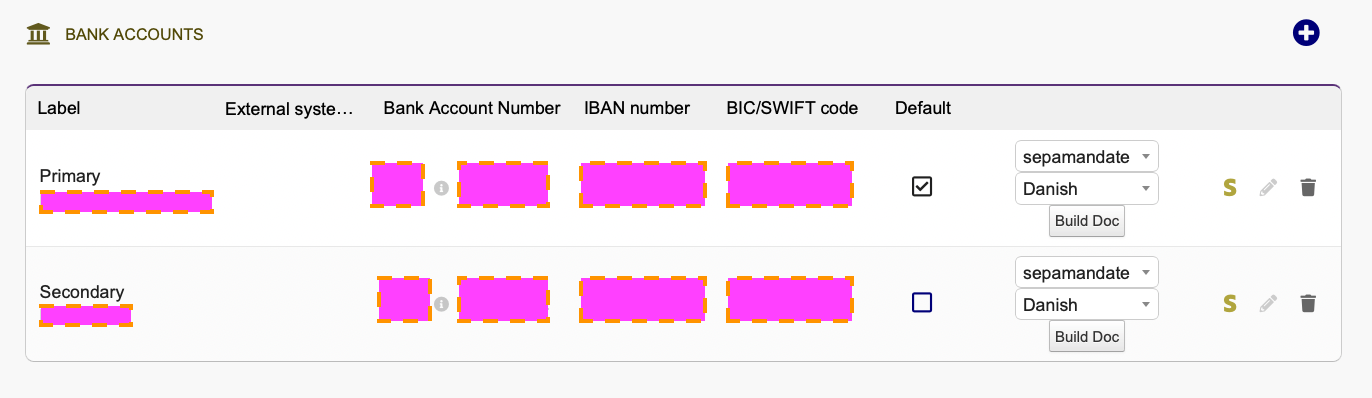
llx_societe_rib stores the bank details of third parties. As soon as those entered the table will show.

yes @Stejimenez. I think this table is populated if you go to a Thirdparty card and select the Payments Methods tab.

and from here you add 1 or more bank accounts

@Kim_KW1975 @Stejimenez I do think fixing this requires changes to the core dolibarr bank account form and the handling of it. But I do not think it is hard to fix it @Kim_KW1975

edit edit
Dolibarr (develop branch at least) is hardcoded to ask for

	// Show fields of bank account
	foreach ($companybankaccount->getFieldsToShow(1) as $val) {

So 1 is what it always will ask for, and that function is defined here

And that function will use the country code of the account to figure out which detailed BBAN it needs to use, but it can not do that without knowing the country_code and the form does not ask about that.

Solution could be:
When loading the form have it prefilled the country and country code with the thirdparty in question or your own company, but make it changeable. Save this to the bank account object, and perhaps it will either reject creation or you’ll have to re-edit the account to get the details correct until some JavaScript is done that changes what is necessary depending on the country selection.

Edit
No it is here

Is it asking the necessary questions? The one I see missing is the country for the bank account, but there could be other missing fields. Maybe also ask the country code of the bank account.

Then for Canada you might need a new function like these

if ($companybankaccount->needIBAN() == 1) {
...
if ($companybankaccount->needBIC() == 1) {

and functions like that are defined in this file

The easily available fields for a company bank account can be seen here

Dolibarr do have a dictionary/database with countries incl. their country code, so maybe just asking on the bank account creation form which bank account the country is located in would be sufficient.

But maybe this table needs a new column like these 2 if there are more countries like Canada

  • Europe (EEC)
  • SEPA Area

sorry I got a little lost in there. I thought it is enough to put Canada to the array like France, Spain,… at least in my testing it worked without any other issues.

I don’t know the legal requirements @Kim_KW1975 , but I am working on a PR in core dolibarr that enables country, state, currency and status on the account - almost there

1 Like

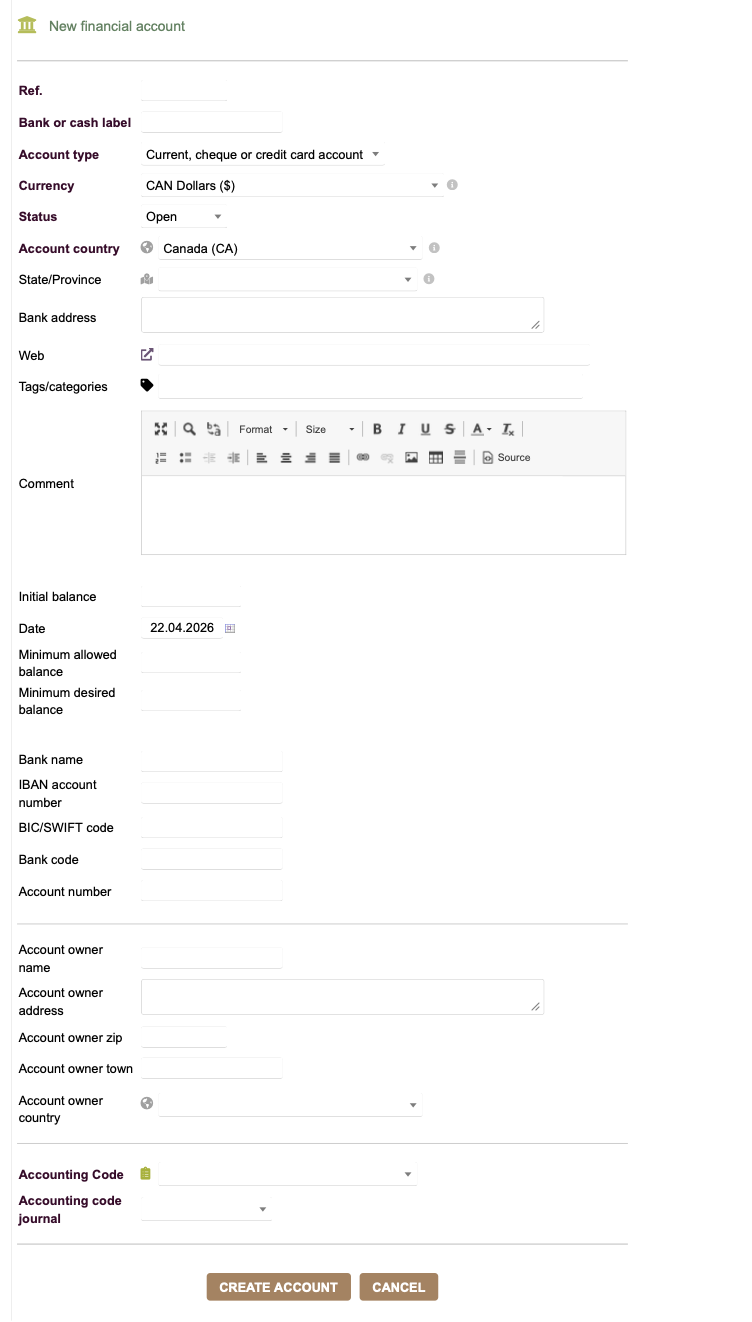
My PR has been merged, so this functionality should be available in Dolibarr v24 once that is released in a few months?

You can see pictures in the PR linked just above

1 Like

Could you please also make the update to the company’s bank accounts (not only third parties bank accounts)?

BTW, I decided to go with your solution of adding CA to the list. Works like a charm!

Thanks again,

Sterling

but that form already have the country fields? - this is where I copied the code from?

What is it you are missing on the company bank account form? @Stejimenez