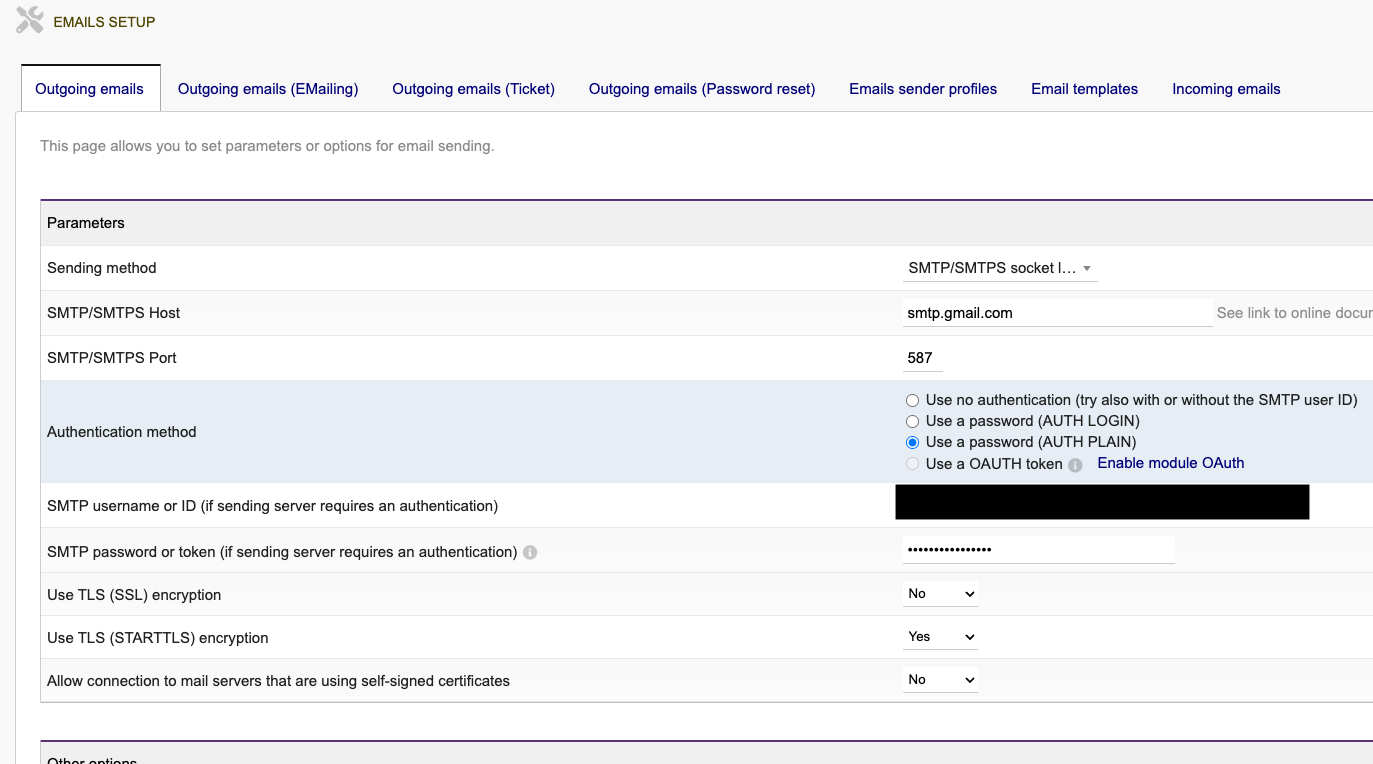
Oaut Token expire time very short

See my last post. For me it was a matter of the Permissions (Scopes). I had not checked the “offline_access”. After doing so, it works fine. Pls see the below image how I’ve done for office365

I found the answer here, and you’ll find the settings for Google as well Setup EMails — Dolibarr ERP CRM Wiki

1 Like

Thank you, I have found your solution useful, but unfortunately it does not work with gMail since there is no "offline_access” option:

Dolibarr Wiki keeps silence for the issue in gMail too. Any suggestions?

My suggestion is that you keep on trying diffrent combinations of Scopes until you have tested all of them.

Hey there, Munchilu!
Were you able to fix the issue with the 1-hour lifespan of the token for OAuth with Google?
I’m using Doli 19.0.2 and facing the same issue. I’m worried that when I change my OAuth consent screen to Published(in gcp), I’ll still need to manually update my token every hour.
did someone find a solution for this?

Did anyone found a solution on that?

I don’t have this issue and I send emails from Dolibarr using google? with the same oauth token since setup. We use a organisation account, not a private account, that might be why


i also use an organisation account
Can you please share settings?

okay, maybe I don’t use oauth?

1 Like

dolibarr version?

my production is still 21.0.1

1 Like

And in your setup you use application password, right?

I think so

1 Like