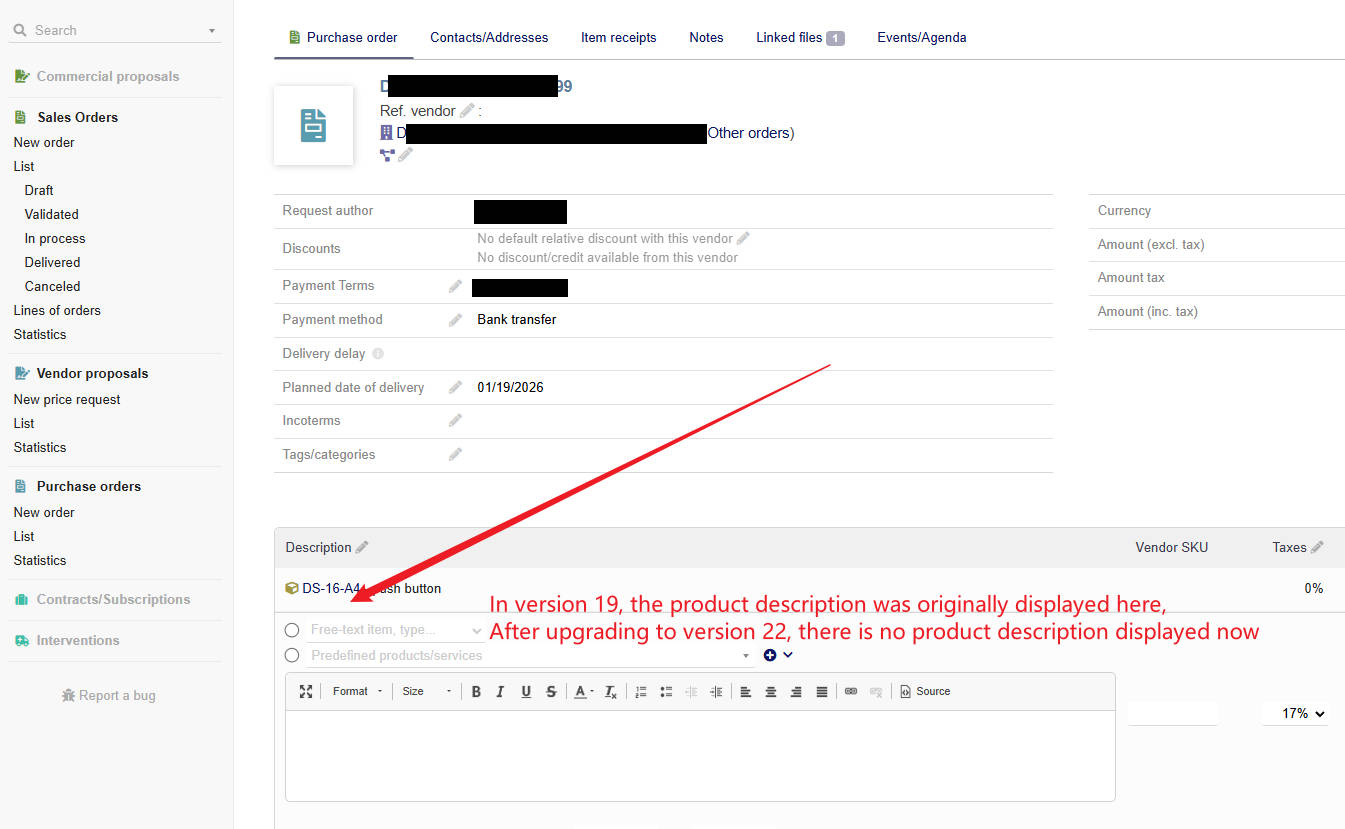
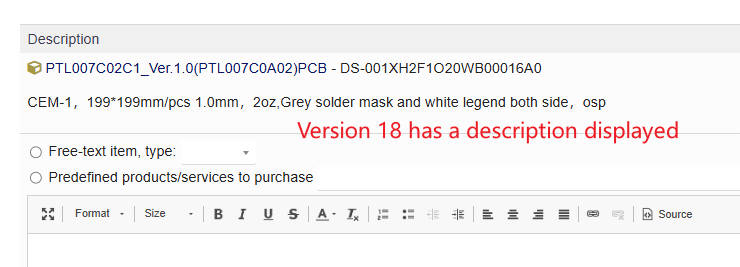
In version 19, the product description was originally displayed here,
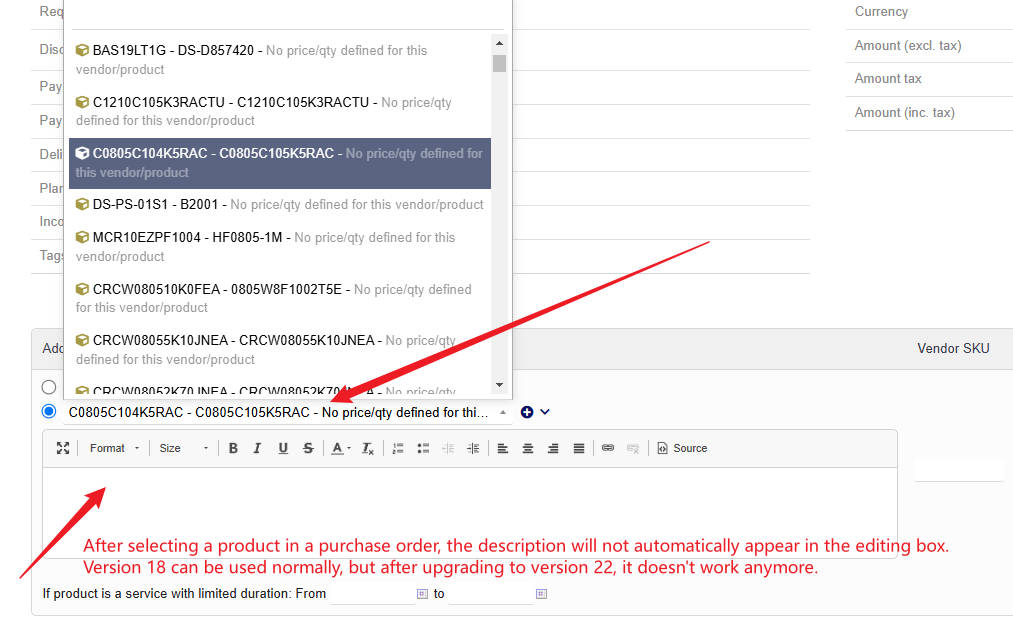
After upgrading to version 22, there is no product description displayed now,
Now we can only manually modify the product description,
How to activate the product description feature?
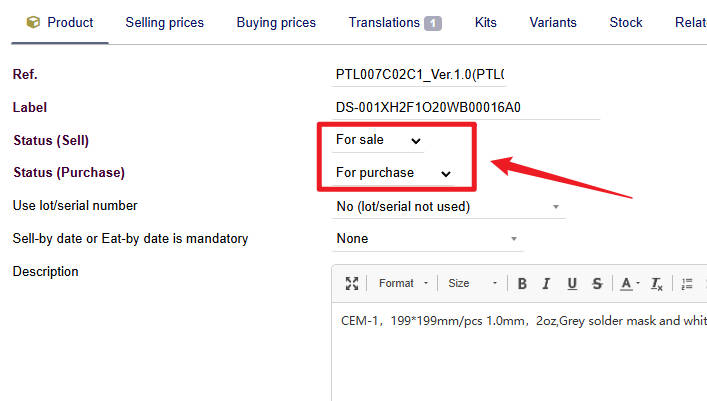
The following functions have been selected but still have no effect.
Modules/Application setup,Products,How to use the description of the products when adding a product as a line of a document,Auto fill the description input field of document lines with the description of product
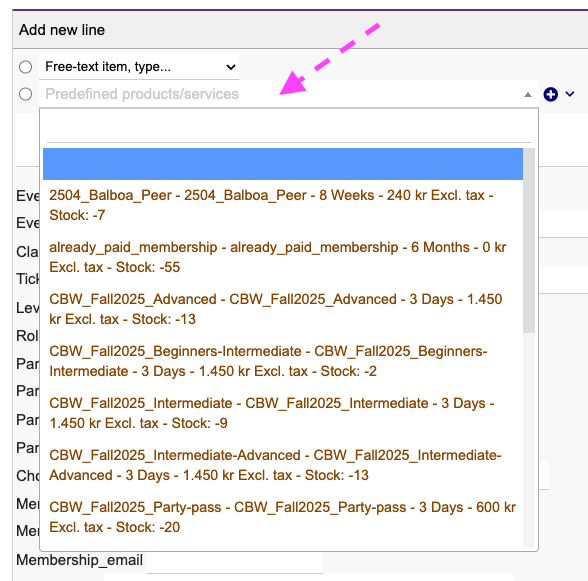
V21.0.1 here. When I click where the pink arrow is pointing I do get some products/services to select from - HOWEVER I only get products/services which are actually marked for sale.
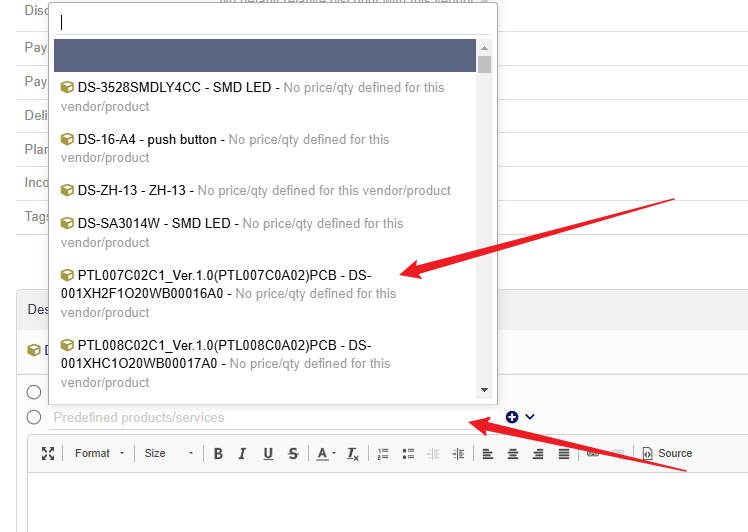
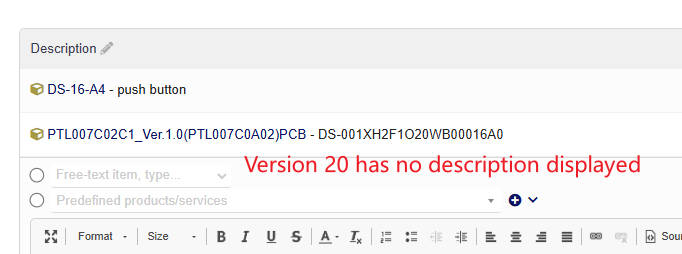
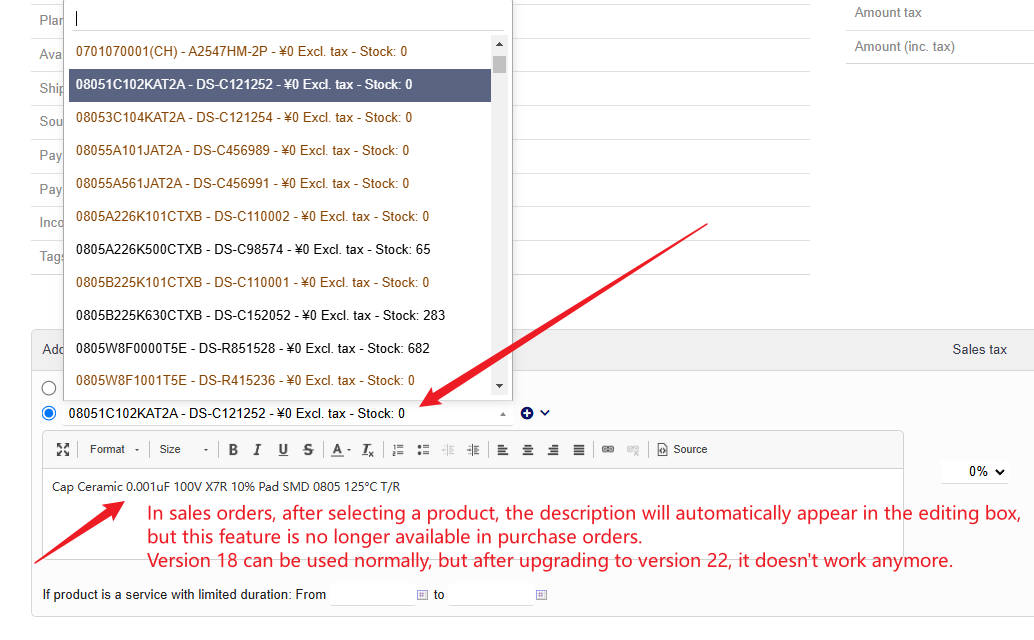
In sales orders, after selecting a product, the description will automatically appear in the editing box, but this feature is no longer available in purchase orders.
Version 18 can be used normally, but after upgrading to version 22, it doesn’t work anymore.
@TuHao yeah I see the issue now. I also have this issue with vendor proposals in 21.0.1
I would suggest that you look for a similar bug/feature request on Dolibarrs github page, and if you can not find it, then create one - inclusive pictures