Special characters in azur PDF

Hi,

when creating a PDF document with the default azur PDF template my company Name Quōvīs get truncated to Quo?v?s
Any help with changing the font to a font supporting these special characters or to implement these characters in the used font would be appreciated

Dolibarr 7.0.0 stable
No addons

I’ve got an answer via the french forum

Home > Setup > Other Setup
Add
Name: MAIN_PDF_FORCE_FONT
Value: DejaVuSans

the PDF creation will be a notch slower and the PDFs a notch bigger but now contains the characters

2 Likes

I’m overwhelmed how is this was simple and it actually worked first off.
I can confirm that it works for croatian (croatia, hrvatski) special characters Č, Ć, Ž, Š and Đ.

Bravo and many thanks!

Hello,

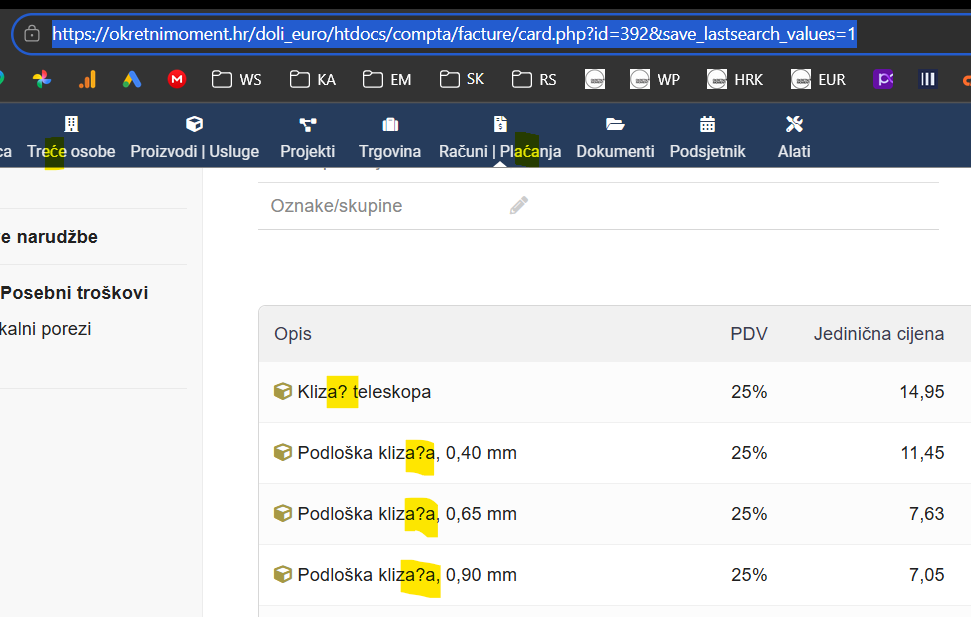
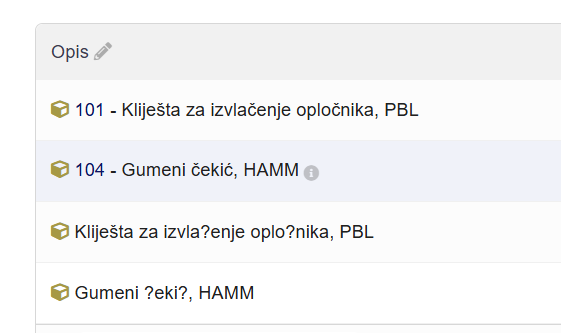
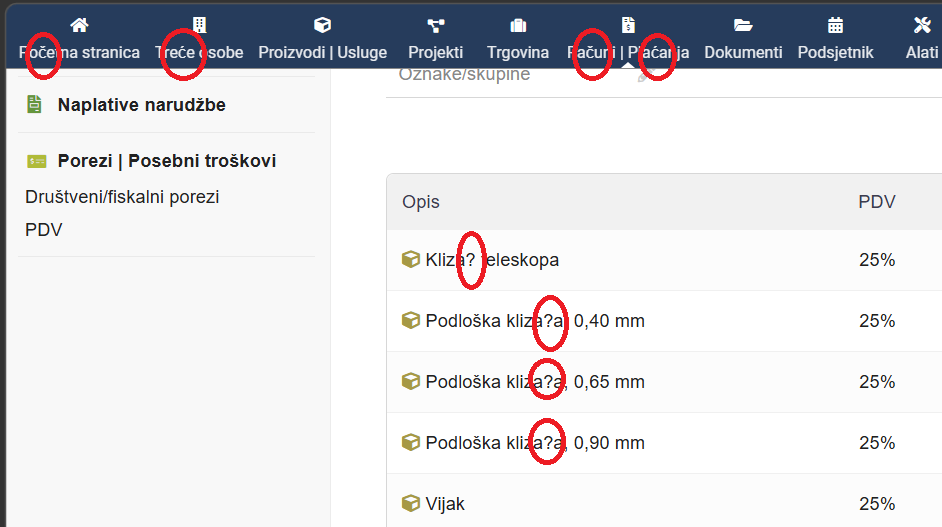
I’ve used the above command and get the special characters to work but only on one part of the program. Please see picture.

In the menu I have the special characters but not in the lines of the invoice.

Also, the generated pdf and e-mail templates and signatures doesn’t have the special characters.

Can I “force” them somewhere else? :laughing:

which LANG setting does your base operating system have, something like this might help @ilinaric

declare -x LANG="en_US.UTF-8"
declare -x LC_ALL="en_US.UTF-8"
1 Like

@jonbendtsen Not quite following you… Where do I need to enter this?

on your linux server or inside your dolibarr container, and first I am asking you what your language is, not telling you to declare those yet.

1 Like

@jonbendtsen My language is Hrvatski “hr_HR”. I have latest Dolibarr version installed on server.

okay @ilinaric sounds good.

  1. Which version of Dolibarr are you running?
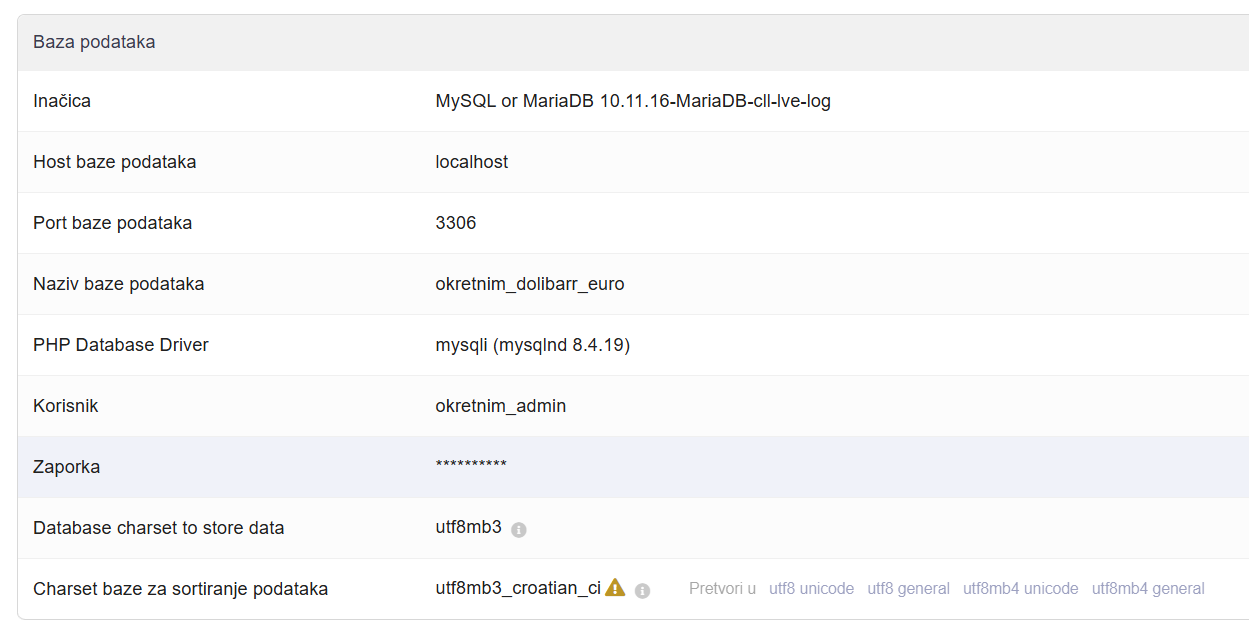
  2. if you go to this url in your dolibarr installation /admin/system/database.php what do you see for database charset and collation?
  3. I think you also need to look at the language files for hr_HR and see if it has the correct charset for all the translations. Any strange characters in there?
  4. I need to know which url you took that screenshot from, I can not deduct it since the language is in hr_HR
1 Like

@jonbendtsen

  1. I’m running Dolibarr 22.0.3

  2. MAIN LANG has all the special characters

  3. https://okretnimoment.hr/doli_euro/htdocs/compta/facture/card.php?id=392&save_lastsearch_values=1

Okay, I was a little unclear. Are those special characters those you expect, or are they unexpected weird characters that should not be there?

My database runs
image

1 Like

@ilinaric I don’t know if this would work or not.

  1. take a backup of your current data
  2. Use that backup to create a complete copy of your dolibarr setup.
  3. In this new complete copy, try chainging the database charset and collation to utf8mb4 and either utf8mb4_unicode_ci or utf8mb4_croatian_ci.
  4. See if this makes a difference

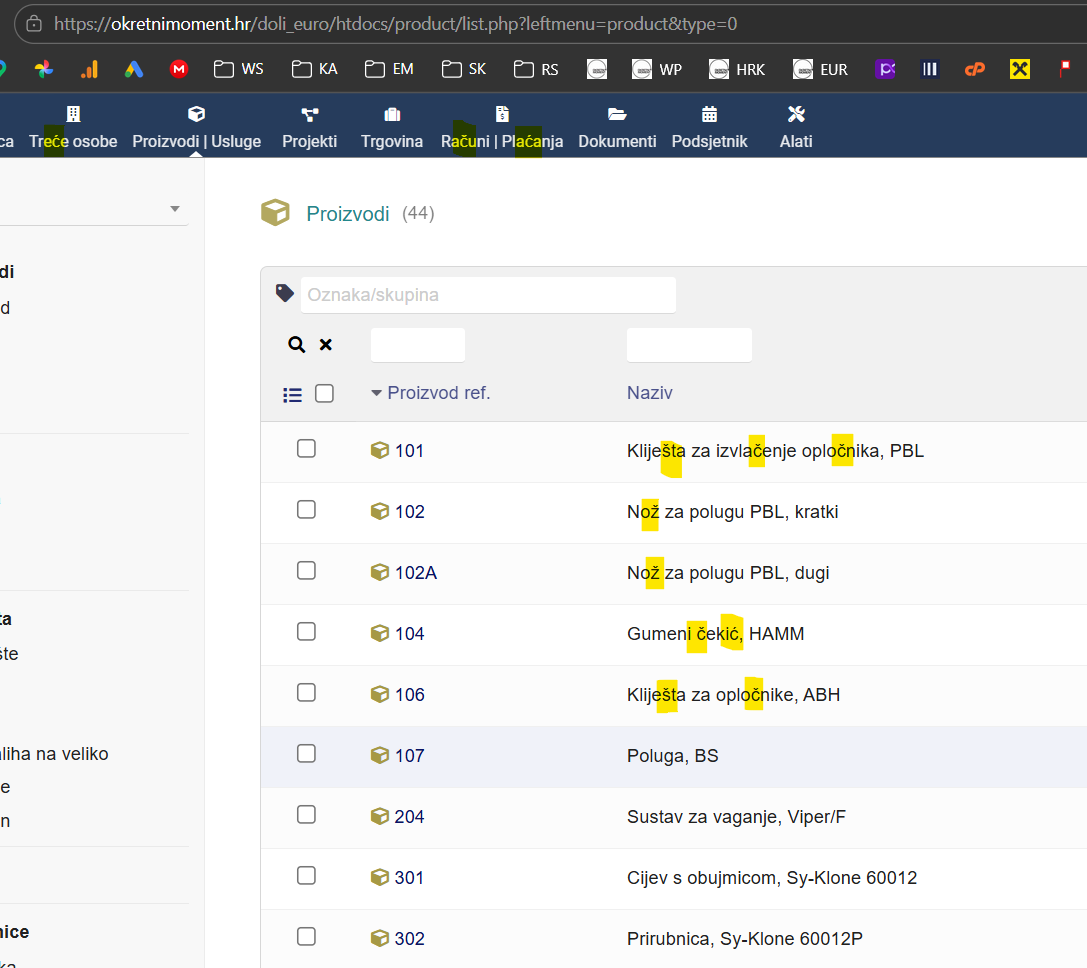
I would like you to also go to your lists of products and service pages /product/index.php

Does that have the correct characters?

1 Like

Yes, those are special characters that I expect. I only get question mark “?” when system cannot display them.

@jonbendtsen Everything is fine in product

Are those the same products that cause trouble in the invoices?

What if you make an dummy invoice with those products that you list in the product screenshot, would that then create an invoice with wrong characters?

1 Like

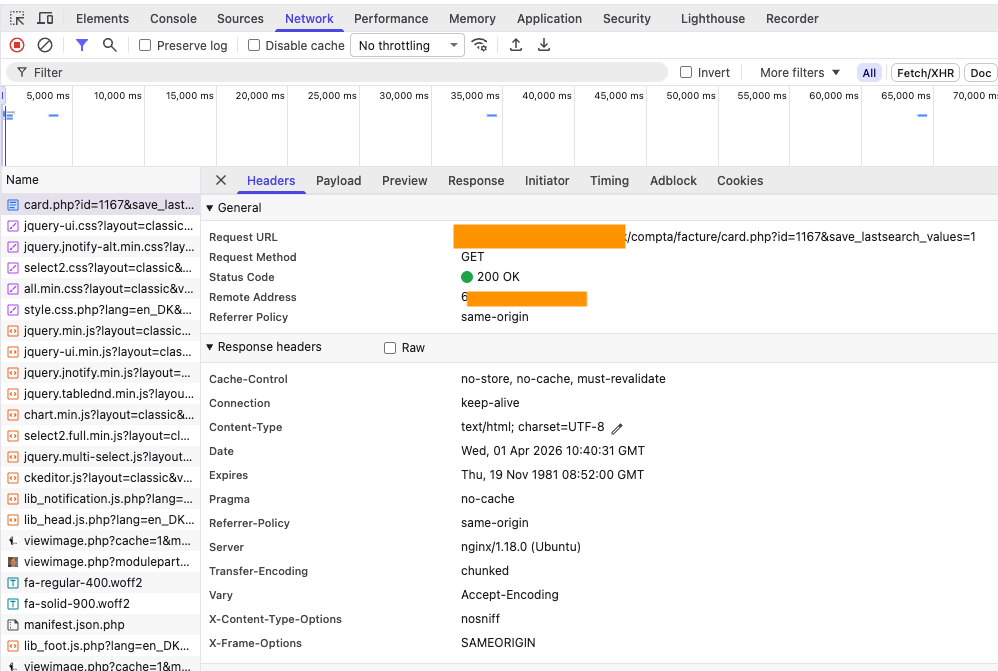
When I use inspect in the browsers development tools (right click on background and maybe your browser has it too)

/compta/facture/card.php?id=1167

My says text/html; charset=UTF-8

What does yours say?

@jonbendtsen Interesting… When I make dummy invoice line from entered product special characters are okay.

But when I just copy-paste them to new lines the they disappear and get replaced by “?”.

good observation. I think that is because your desktop/laptop/phone and Dolibarr does not agree on what the actual charset is.

1 Like

@jonbendtsen Please sum up our correspondence above… What should I try first?